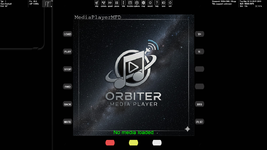
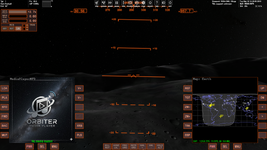
Project MediaPlayerMFD for Orbiter2024 - with YouTube player

dgatsoulis

ele2png user
Donator
Joined
Dec 2, 2009
Messages
2,022
Reaction score
647
Points
128
Location
Sparta
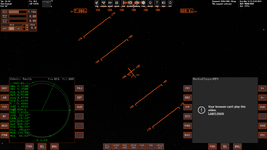
Testing out various elements of the port to 2024.
I ended up mostly rewriting the engine. I figured out a way to display YouTube videos on the MFD that does not infringe on YouTube's terms of service.
There are a lot of things to fix/test/add before I can share a public beta for testing, but for now here is a small demo:

 
I have an interesting idea ("vessel" add-on) that would be nice to use with your Media Player in Orbiter 2024. So, I'm waiting ;)
 
Test beta ready to be ...ehm... tested. Any brave souls around?

Download from here: https://www.mediafire.com/file/sjg8g90nsfwuwll/MediaPlayerMFD.zip/file


The size is large because I have included the Chromium Embedded Framework (CEF) library. When testing is complete and the MFD is ready to ship, I will probably not include it in the download. I'll simply point the user to where to download it from, in order to be able to play YT videos.

-Unzip the file in your Orbiter 2024 root folder and everything will go in its place.
-Open the Orbiter Launchpad and set these settings in the Options->Instruments and Panels
-Set your MFD refresh interval to 0.05 or less (I have it at 0.01)
-Virtual Cockpit MFD texture size: 1024x1024
-Go to modules tab and check the MediaPlayerMFD box.

Load any scenario, open an MFD and select "Media Player" from the list.
Press LOAD to get the menu:

Videos -> Load and play a video from the OrbiterRoot\MediaPlayerMFD\Videos folder. I have added a few small samples (one with an accompanying srt subtitles file). You can also place any other local videos you want to play in that folder.

Music -> Plays any music files you have in your OrbiterRoot\XRSound\Default\Music folder . I have also made a few new visualizations for you to try out (VIS button when music or radio is playing).

YouTube -> Loads the YouTube page. Wait a couple of seconds for it to load. You can press PST to paste a Youtube video URL you have already copied to clipboard or you can press SRCH to enter a search in the input box. If you start your search with "shorts" (without the quotes) and select a short form video to play, you go into shorts mode. Happy doomscrolling (BTW Shift-DownArrow for next or UpArrow for previous video).

Web-radio -> will give you a list of several webradio-stations to select from and play. The list of stations in located in OrbiterRoot\MediaPlayerMFD\Radio\Stations.txt
You can add or remove stations there and save file at the same place.

Things I am interested to hear from you in this testing phase:

1. Does it work on your end?
2. Were you able to load the YouTube page? Did the PST (paste url) and the SRCH (search) buttons work?
3. Audio/video quality on your end. (don't expect the 1024x1024 MFD to play crisp 4k video for you, but the audio should be pretty decent).
4. The local video player, should be able to play anything you throw at it, but it has a problem with AC3 audio. So if you have any videos with 5.1 audio, you can expect the video to play correctly, but the audio will be in slow motion. No need to report this bug, already working on it.
5. Check your Orbiter frame rate and see if there is any major impact by playing video/music/YT/radio. There should be a small drop, but nothing substantial.
6. Any bugs/comments/suggestions you have.

Play around and report your experience here. There are still a few bugs to kill and some polishing before shipping.
BTW, the MFD should also play in Orbiter2016, but this version has been built and tested only in Open Orbiter (31 Dec 2024)

Your input is extremely valuable at this phase. Thanks in advance for taking the time to test this.
 
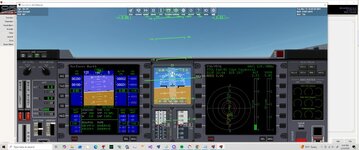
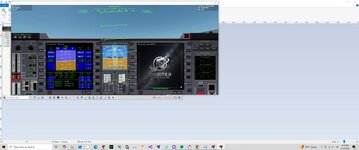
It opened but what was weird it changed the display window. For some reason my Orbiter window shrunk
 
Last edited:
Thank you. I tried it with Orbiter 2024. I tried all functions, but not all buttons and cases (for now).
1. Does it work on your end?
2. Were you able to load the YouTube page? Did the PST (paste url) and the SRCH (search) buttons work?
3. Audio/video quality on your end. (don't expect the 1024x1024 MFD to play crisp 4k video for you, but the audio should be pretty decent).
4. The local video player, should be able to play anything you throw at it, but it has a problem with AC3 audio. So if you have any videos with 5.1 audio, you can expect the video to play correctly, but the audio will be in slow motion. No need to report this bug, already working on it.
5. Check your Orbiter frame rate and see if there is any major impact by playing video/music/YT/radio. There should be a small drop, but nothing substantial.
6. Any bugs/comments/suggestions you have.
1. It definitely work.

2. YouTube works. PST and SRCH (but cyrillic characters don't work) buttons work. Rewind works. Subtitiles works.

I didn't find a button to skip an advertising, but maybe it's just not available. By the way, the FWD button help to skip the advertising faster.

For some video I get the following:

1782338196549.png

YouTube shorts work, but doomscrolling with Shift and arrow keys doesn't work for me.

3. Included three videos work (and subtitiles are displayed). Video and audio quality is good. Radio works (and visualizations are displayed).

I can't load music. I have one default Solar Serenity.ogg audio file in \XRSound\Default\Music folder, but the Media Player doesn't see it. It says No files found. Maybe it requires some other music format (not OGG)?

4. I didn't try custom videos with 5.1 audio yet.

5. Frame rate is good. I didn't notice any problems with performance.

Suggestion:

For example, I choose a radio station. It would be nice to have a button (like BACK) just to return to the list of radio stations. For now I have to press MNU and choose Web Radio again to open station list.

I load a YouTube video, then stop it, exit to main menu, return to YouYube and... maybe it will be possible to continue to watch the video...
 
Weird. So I start the scn almost full screen. and open the mfd and it shrinks.
And at the top the info is missing.

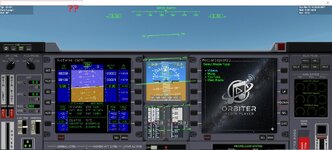
I think for the DOWN use DWN so it fits the button
 

Attachments

  • mfdstart.jpg
    mfdstart.jpg
    84.3 KB · Views: 5
  • mfdstart1.jpg
    mfdstart1.jpg
    57.1 KB · Views: 5
  • mfdstart2.jpg
    mfdstart2.jpg
    98.5 KB · Views: 5
@misha.physics

Excellent testing round, thanks!

1. Great to hear!

2a. The button to skip adds is the FWD button. They are skippable as soon as the skip option is available on the video.
You mention that pressing FWD actually moves the add forward? Weird, hasn't happened to me. Will check, but hey, at least we have a way to skip the adds.
There may be a way to completely disable them in the code, but that would not agree with YT terms of service, so I won't mess with that. The whole point of this player is to be a legal way to play YT on an MFD. (An illegal scraper that fetches the video file link would have been much easier to build).

2b. Cyrillic, Greek and others don't work in the YouTube search input box because they also don't work in Orbiter. That's an Orbiter limitation. (ANSI and D3D9 font rendering limitation). For now, the only way to watch a video with a localized title, is to search it in YouTube on your browser and then copy the URL, go to the MFD and press PST.

2c. "For some video I get the following:".
I believe that those videos are listed on youtube with the "allow embedding" (or something similar) option turned off. Nothing I can do about it. One way to test this, is to paste the video URL as a response here. If the video plays in a forum reply, then I'll look for the problem in the code. If it doesn't then the uploader doesn't want their videos shown anywhere else other than youtube .

2d. The curremt way to go into "shorts" is this:
Press SRCH and enter "shorts [your search term]" (without the quotes). For example: shorts cats
Then select a SHORT FORM video (they are usually in vertical format, so easy to spot in the thumbnails the MFD fetches).
The expected behavior is this: The short video you selected will play. When it ends it will autoplay the next short form video. (not the next one in your search, but whatever youtube has lined up for you). During this, you can press shift-uparrow or shift-downarrow to move on to the next short video. (left or right shift depends on the MFD side you have the player on)

3 & 4. Great to hear that local videos play ok on your end.
I am ironing out a few bugs in the local video player. Had some problems with 5.1 audio. It tries to pass all 6 channels through stereo and the result is video playing at normal speed and audio at x0.33. It's proven more difficult than I thought it would be, but I'll get it eventually.
I looked into the library that plays the music and it turns out that it doesn't natively support ogg files. (it lists .mp3/.wav/.wma/.aac/.flac but not .ogg) There is an extension for it, but I don't think it's worth downloading. Mp3 is far more popular than ogg (though in my opinion ogg is a better format). I'll see what I can do to add ogg support, but it may be the case that it won't play ogg files.

5. Fantastic! The threading works and there is minimum impact on the Orbiter frame-rate. That's great news.

6. Radio station suggestion reply:
Right now, when a station is playing, you can press FWD or BACK to play the next/previous station. There will be a small stutter in Orbiter. That's expected because of the new url loading. I'll see what I can do about bringing up the list while the radio is playing.

About the YT video reloading after you've pressed stop and returned to the main menu. This is a design choice by me. I don't want to hold on to the url after you've returned to the main menu. If you simply press stop and play again, you effectively "rewind" the video you were watching, but if you exit to the menu, you lose the video. I'll think about your suggestion a bit more and see if it sits well with the rest of the MFD code.

Again, excellent reporting misha! Thank you very much. If you have more time to test anything else, feel free to drop a word here.

@gattispilot

Thanks for taking the time to download and test gattis.
That's a weird bug you caught there. The problem is that I wasn't able to reproduce it.
I always run Orbiter in full-screen (with alt-tab) mode, so I tried it in windowed mode, but never got the problem you mentioned.
Can you share the resolution you are running on? I've only tested on 1920x1080 (windowed and full screen), with 1024x1024 virtual cockpit MFD settings. I've also tried glass-cockpit and panels (Deltaglider) and never got the window shrinking you saw.

If you can, post your resolution, graphics card and also give it a try at full screen and tell me what happens then.


Thanks again for testing guys! This is really helpful.

To anyone else interested in testing. A short video showing your use and test of some aspects of the MFD would be really helpful to me. If you can, also show your Orbiter frame rate.

 
@dgatsoulis, thanks. I checked everything again you mentioned above.
You mention that pressing FWD actually moves the add forward? Weird, hasn't happened to me.
It looks so (namely FWD button moves an add forward), but something interesting happens with it. I tried several videos right now and for most of them I don't see adds at all. But it's good. By the way, volume buttons (V+ and V-) work good.
2c. "For some video I get the following:".
I believe that those videos are listed on youtube with the "allow embedding" (or something similar) option turned off. Nothing I can do about it. One way to test this, is to paste the video URL as a response here. If the video plays in a forum reply, then I'll look for the problem in the code. If it doesn't then the uploader doesn't want their videos shown anywhere else other than youtube .
Now I can't find thet problem video, but I'll check it if/when I notice such the behavior again.

Sometimes video is loading, but "Skip" button doesn't dissapear:

1782423493466.png

Also, it looks the search YouTube list displays limited number of videos (not many).

The MFD is reloading after switching between internal views (F8 key), but it works fine during switching between internal and external views (F1 key).

Maybe it's possible to display the standard red video playback progress bar on YouTube?

When I pause Orbiter, then video is stopped, but sound is loading.

It's interesting, I can load different YouTube videos simultaneously on left and right MFDs.
2d. The curremt way to go into "shorts" is this:
Press SRCH and enter "shorts [your search term]" (without the quotes). For example: shorts cats
I noticed that without the spacebar key it gives better results (gives only shorts video). For example, you can compare "shorts game" and "shortsgame' search results.
The expected behavior is this: The short video you selected will play. When it ends it will autoplay the next short form video. (not the next one in your search, but whatever youtube has lined up for you).
After ending a short video the next one isn't load automatically for me. (Maybe I have autoplay disabled somewhere. Also, short videos don't change automatically each other in my browser. But I almost never watch shorts.)
During this, you can press shift-uparrow or shift-downarrow to move on to the next short video. (left or right shift depends on the MFD side you have the player on)
It still doesn't work. I suppose these key combinations might not to work for me. I noticed the following. I select the MFD on right side and volume keys RShift-N and RShift-J don't work for me, but RShift-G for subtitles works correctly. Whereas if I enable the MFD on left side, then LShift-G doesn't work, but, for example, LShift-T works correctly.
I looked into the library that plays the music and it turns out that it doesn't natively support ogg files. (it lists .mp3/.wav/.wma/.aac/.flac but not .ogg) There is an extension for it, but I don't think it's worth downloading. Mp3 is far more popular than ogg (though in my opinion ogg is a better format). I'll see what I can do to add ogg support, but it may be the case that it won't play ogg files.
I tried several MP3 files and they're loading good. I didn't find how to switch to the next or previous track during music loading. Probably it's not imlemented, but it could be useful.

Volume is reset to 100 every time after switching internal view with F8 key.

During pause Orbiter sometimes music is paused and sometimes isn't (continue playing).
 
I have an interesting idea ("vessel" add-on) that would be nice to use with your Media Player in Orbiter 2024. So, I'm waiting ;)
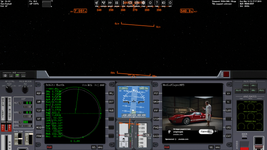
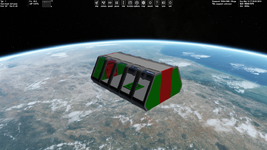
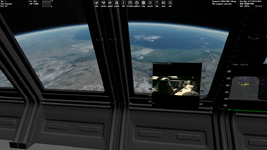
Just to explain what I meant here. It's a space module where you can just sit, look at space through big windows, and now watch videos/listen to music or the radio with the Media Player MFD. Early screenshots of concept:

1782472199146.png1782472336356.png
 
@dgatsoulis, I noticed a new feature. If I press F8 during YouTube video loading then it freezes for a while and continue blayback in another internal view, but if I press F8 during loading a local video then it freezes for a long time and I can't do anything.
 
A space cinema!
Hehe! I think I might revisit my New Rome Drive-in (Fly-in?)

Anyways back to fixing bugs and addressing the issues reported, plus my list of features to add (in no particular order and certainly not in the order that I will tackle them):

Issue #0 (was already working on it when I uploaded the test version).
Local videos with 5.1 audio not playing the audio at correct rate --fixed (forced downmix to stereo and then feed them to the player).

Issue #1 (reported by @misha.physics )
- Localized characters in search (support search in any language). I think this is an Orbiter limitation, but I'll see if I can create a custom input box in the MFD to make the search line more flexible.

Issue #2 (reported by @misha.physics )
- ogg support in the Music Player. The Media Foundation library (native Windows Media Player) doesn't support ogg "out of the box". I'll have to add another library or write a custom vorbis decoder. Not too much work but not a priority. For now, the music player does not support ogg files.

Issue #3 (reported by @gattispilot )
- When in windowed mode in non-standard aspect ratio (ultra-wide 2.22:1) the window shrinks when the MFD loads. This one is weird. For now, I will simply instruct people to use Full-Screen mode (with alt-tab) but I will revisit in the future.

Issue #4 (reported by @gattispilot )
- Buttons letters not working properly. (4 letters instead of 3)
This needs a definite fix. Also a mapping of the actual button use, conditional menus, naming conventions and shortcut keys. Priority issue to nail down the user interaction

-Issue #5 (reported by @misha.physics )
In scenario persistence. (switching seats, external view and return to same ship etc)
For the same vessel, going external or switching internal views will have full persistence. So local vids, music, radio and youtube, will continue to play. Also pausing must pause everything. The volume control that was reported goes in here too. (The setting is for the entire session and should not reset when a new video/music is loaded).
You will lose persistence if: You switch to a different vessel or if you exit the scenario. (I will not support intra-scenario settings save/load - too fragile especially on YT vids).
Priority issue.

Issue #6 (reported by @misha.physics )
Some YT videos don't play. After checking, the only ones that don't play for me are the ones that the uploader has opted to be "non-embeddable". (Only available through the YT page and nowhere else). Nothing I can do about those, they simply won't play.

Issue #7 (reported by @misha.physics )
YT video progress bar. This shouldn't be too difficult, but I will add it as optional (there will be a cfg button to toggle it on/off)
Also more videos returned in the search list. (I can't return all of them. YT's return list is dynamic.). The search return needs a fix (bigger thumbnails and two rows of text to accommodate long video titles instead of 1. I might as well bump up the number of returned search results -I believe I have it at 15 right now).

-New feature : Playlist support.
For Youtube videos. The user will be able to maintain a YouTube_playlist.txt file, where they may paste any number of YT video URLs they want to watch. When they load it from the MFD, they watch the videos in sequence through a forced autoplay next command. Will see if I can add a custom playlist editting menu in the MFD, with video title support).
For Music/ Local Videos:
The 2016 version of this MFD had a pretty good mixed playlist support (create/edit/remove). I'll implement it fully on this version as well.

There are more issues reported (shorts returned search and shorts mode control). I will tackle those as they come.

Thanks again for testing and reporting guys. I have lots to go on. Consider this round closed. I will fix/update the module and provide a new version for testing in a few days.
 
Hehe! I think I might revisit my New Rome Drive-in (Fly-in?)
Wow, it's very nice, It's non-square as an MFD. I'd like to get it for Orbiter 2024.
Issue #4 (reported by @gattispilot )
- Buttons letters not working properly. (4 letters instead of 3)
This needs a definite fix. Also a mapping of the actual button use, conditional menus, naming conventions and shortcut keys. Priority issue to nail down the user interaction
It's happens only in 3D cockpit (and maybe in 2D panel). In the glass (generic) view the only 3 letters are displayed as it should be:

1782558172103.png1782558187180.png

It would be good to fix it for 3D cockpit.
 
Back
Top