@misha.physics
Excellent testing round, thanks!
1. Great to hear!
2a. The button to skip adds is the FWD button. They are skippable as soon as the skip option is available on the video.
You mention that pressing FWD actually moves the add forward? Weird, hasn't happened to me. Will check, but hey, at least we have a way to skip the adds.
There may be a way to completely disable them in the code, but that would not agree with YT terms of service, so I won't mess with that. The whole point of this player is to be a legal way to play YT on an MFD. (An illegal scraper that fetches the video file link would have been much easier to build).
2b. Cyrillic, Greek and others don't work in the YouTube search input box because they also don't work in Orbiter. That's an Orbiter limitation. (ANSI and D3D9 font rendering limitation). For now, the only way to watch a video with a localized title, is to search it in YouTube on your browser and then copy the URL, go to the MFD and press PST.
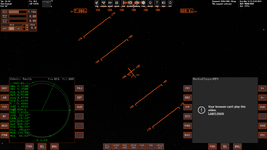
2c. "For some video I get the following:".
I believe that those videos are listed on youtube with the "allow embedding" (or something similar) option turned off. Nothing I can do about it. One way to test this, is to paste the video URL as a response here. If the video plays in a forum reply, then I'll look for the problem in the code. If it doesn't then the uploader doesn't want their videos shown anywhere else other than youtube .
2d. The curremt way to go into "shorts" is this:
Press SRCH and enter "shorts [your search term]" (without the quotes). For example: shorts cats
Then select a SHORT FORM video (they are usually in vertical format, so easy to spot in the thumbnails the MFD fetches).
The expected behavior is this: The short video you selected will play. When it ends it will autoplay the next short form video. (not the next one in your search, but whatever youtube has lined up for you). During this, you can press shift-uparrow or shift-downarrow to move on to the next short video. (left or right shift depends on the MFD side you have the player on)
3 & 4. Great to hear that local videos play ok on your end.
I am ironing out a few bugs in the local video player. Had some problems with 5.1 audio. It tries to pass all 6 channels through stereo and the result is video playing at normal speed and audio at x0.33. It's proven more difficult than I thought it would be, but I'll get it eventually.
I looked into the library that plays the music and it turns out that it doesn't natively support ogg files. (it lists .mp3/.wav/.wma/.aac/.flac but
not .ogg) There is an extension for it, but I don't think it's worth downloading. Mp3 is far more popular than ogg (though in my opinion ogg is a better format). I'll see what I can do to add ogg support, but it may be the case that it won't play ogg files.
5. Fantastic! The threading works and there is minimum impact on the Orbiter frame-rate. That's great news.
6. Radio station suggestion reply:
Right now, when a station is playing, you can press FWD or BACK to play the next/previous station. There will be a small stutter in Orbiter. That's expected because of the new url loading. I'll see what I can do about bringing up the list while the radio is playing.
About the YT video reloading after you've pressed stop and returned to the main menu. This is a design choice by me. I don't want to hold on to the url after you've returned to the main menu. If you simply press stop and play again, you effectively "rewind" the video you were watching, but if you exit to the menu, you lose the video. I'll think about your suggestion a bit more and see if it sits well with the rest of the MFD code.
Again, excellent reporting misha! Thank you very much. If you have more time to test anything else, feel free to drop a word here.
@gattispilot
Thanks for taking the time to download and test gattis.
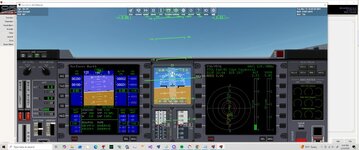
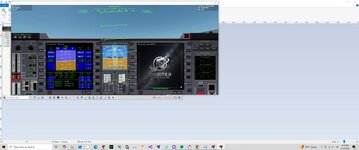
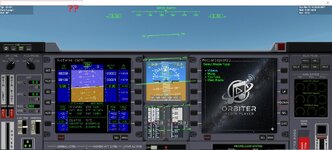
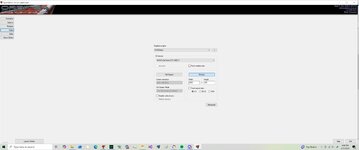
That's a weird bug you caught there. The problem is that I wasn't able to reproduce it.
I always run Orbiter in full-screen (with alt-tab) mode, so I tried it in windowed mode, but never got the problem you mentioned.
Can you share the resolution you are running on? I've only tested on 1920x1080 (windowed and full screen), with 1024x1024 virtual cockpit MFD settings. I've also tried glass-cockpit and panels (Deltaglider) and never got the window shrinking you saw.
If you can, post your resolution, graphics card and also give it a try at full screen and tell me what happens then.
Thanks again for testing guys! This is really helpful.
To anyone else interested in testing. A short video showing your use and test of some aspects of the MFD would be really helpful to me. If you can, also show your Orbiter frame rate.