Desktop screenies

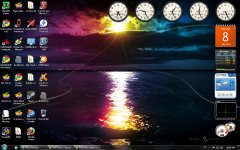
Can you tell I'm excited for Tuesday? :lol:
screen2.jpg
 
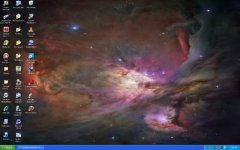
hahah at first glance i thought you had the same desktop icons as me. but they are only 50% the same.
 
cool!

here's mine from my laptop:
picture.php


i had to "blue down" the original picture so it didn't contrast to hard with my icons and all... i also changed all my color schemes so to remove those horrible white windows backgrounds... i reccomend it! my eyes never hurt as much after doing that
 
C64_startup_animiert.gif


Desktop from my second machine :P
 
Does using videos count?

If so, this is my desktop:

[ame="http://www.youtube.com/watch?v=DKzi8dj-qAs"]YouTube- STS-129 Launch with Space Shuttle Atlantis on 11/16/2009[/ame]
 
C64_startup_animiert.gif


Desktop from my second machine :P

w00t, another C64 fan. I have a C128 and an SX-64.

but that's beside the point, here's my new desktop.
desktop.jpg

and before I get people saying "YOU HAVE ISO'S ON YO DESKTOP FOO", I do, in fact, own the games on there.
 
Last edited:
@Izack: Please deorbit your debris! :lol:
LOL my first wallpaper was pretty bloody...used it 'till just recently, I'm still eating my own dog food. ;)
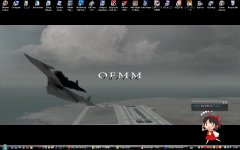
attachment.php

That Reimu there is an Apricot, she gives me feeds and tells me the time and stuff. She says some funny things, here: "Firefox please give me Firefox"
One time she said 「おっぱいちょうだいよおっぱい」 :rofl:
 

Attachments

  • firefoxchoudaifirefox.jpg
    firefoxchoudaifirefox.jpg
    354 KB · Views: 103
Last edited:
Izack - My eyes are bleeding :P

@Izack: Please deorbit your debris! :lol:
You should see it after a downloading spree. :rofl:


I never got much into those little programs floating around the desktop, somehow I always found them getting in the way (and yet folders are fine somehow??). I might give a few a shot, though. Can anyone of any good ones?

Amusingly, Google translated whatever you just said as "Oh Paichoudaiyooppai" :facepalm:
 
You should see it after a downloading spree. :rofl:


I never got much into those little programs floating around the desktop, somehow I always found them getting in the way (and yet folders are fine somehow??). I might give a few a shot, though. Can anyone of any good ones?

Amusingly, Google translated whatever you just said as "Oh Paichoudaiyooppai" :facepalm:
:rofl:Wow, I didn't expect Google to fail that hard! (kudos to Andy44 and Tex for the new:facepalm:)

Looks like it fails at separating words, so I try adding spaces, to varying results (try with text to speech plugin for maximum enjoyment, the German is good too):
「おっぱいちょうだいよ おっぱい」
「おっぱい ちょうだいよ おっぱい」
おっぱい ちょうだいよ おっぱい
:rofl::rofl::rofl::rofl::rofl::rofl:

---------- Post added at 16:51 ---------- Previous post was at 16:50 ----------

Anyway Apricot is only Japanese, though I guess it's still nice to have a voiced reminder of the time every hour by Hatsune Miku. ;) Actually I found Apricot in my search for a cute talking clock.
 
ok, now that i got my home rig all set up again, here's what i've done with it:

picture.php


note the second screen to the right, with my cheat-sheets splattered all over the wallpaper :P - that "ledge" you see on the bottom is because my secondary sits a little lower than my primary, so i had to adjust it like that to get the two screens lined up (as much as possible)


and i recently decided i don't like them destop icons anymore... i always end up with a huge mess, and they take forever to load when you boot up (not now, since i recently formatted - but wait a couple of months :uhh:)
so, since i discovered that win 7 has the most convenient search feature, which lets you just hit the windows key and type in the first few letters of whatever you need, i figured i no longer need icons....

it takes me less time to type out a couple of letters than it does to minimize everything, find the damn icon in the middle of a hundred others, roll over it, then double-click *phew*... ...what was i doing again?...
also, my right index finger surely appreciates the relief that gives it :lol:
 
...so, since i discovered that win 7 has the most convenient search feature, which lets you just hit the windows key and type in the first few letters of whatever you need, i figured i no longer need icons....

it takes me less time to type out a couple of letters than it does to minimize everything, find the damn icon in the middle of a hundred others, roll over it, then double-click *phew*... ...what was i doing again?...
also, my right index finger surely appreciates the relief that gives it :lol:
Are you being paid for this? :rofl:

Anyway I don't drag stuff onto the desktop, and I decide where downloads go when I get them, so that cuts down on icon debris blocking my beautiful wallpaper. :) As you can see I'm kind of anal about how my desktop looks...OCD much?:shifty:

Your rig is awesome though, rock that rig! :headbang:
 
Are you being paid for this? :rofl:

i wish... :hmm: *hint* M$ sniper-spies, are you reading this? *hint*

nah... i just get happy when i find out something that really DID get better between windows versions - we all know that's NOT often :lol:

Your rig is awesome though, rock that rig! :headbang:

thanks dude! cheerz! :cheers:
 
nah... i just get happy when i find out something that really DID get better between windows versions - we all know that's NOT often :lol:
Well, I have that search feature on Vista, and after a while it seems that it stops working. I can go to My Pictures, have a file right in front of me, search for that filename in the same window and it will tell me that no items match my search. Thanks, Vista, you rock dude.
So, there was this guy...
:rolleyes:
 
Back
Top