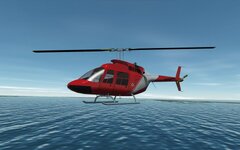
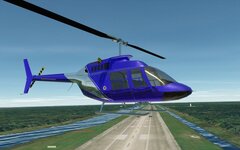
Project Lua Script Helicopters!

This was the deliberate adjustment I mentioned
OK. But put it back to 1.5.
Cool, this is a lead, thanks :)
The AF ratio will probably land somewhere above 50 and less than 100. It has a big impact as this specifies the fuel flow relative to the air flow. If this is too low, your fuel consumption will be too high. It's likely your problem.
 
OK. But put it back to 1.5.
I Sir!:salute::)
You can work out the proper AF ratio by taking the data specific fuel consumption and multiplying it by the maximum power to get the fuel mass flow rate, and just divide the fuel mass flow rate by the max_air_flow value to get the AF ratio.

The AF ratio will probably land somewhere above 50 and less than 100. It has a big impact as this specifies the fuel flow relative to the air flow. If this is too low, your fuel consumption will be too high. It's likely your problem.
Sweet! That did the trick! Flies like a dream:love:
Max HP output = 322. Official HP = 317!(y)

2x Allison, Jet Ranger!
0011.jpg
 
Sweet! That did the trick! Flies like a dream:love:
Max HP output = 322. Official HP = 317!(y)
Excellent. It's a proper air breathing engine model, so power will decrease with altitude, as will rotor thrust. A fun test is to see how high you can fly it and see if it matches the service ceiling. Wiki suggests that this is around 20,000 ft or 6300 m.
 
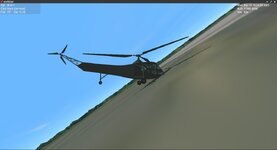
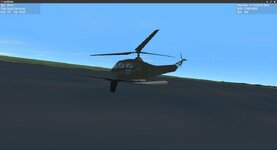
Some progress, I've fixed the touchdown points. Now all that's left to do is fix... everything else.
Screenshot_2025marzo15163627.jpeg

And by everything else, I mean the engine isn't making any power. I also need to fix the animations and textures.
 
I Hope a c++ version comes out soon. I have got several projects to work on.
 
Some progress, I've fixed the touchdown points. Now all that's left to do is fix... everything else.
View attachment 42781

And by everything else, I mean the engine isn't making any power. I also need to fix the animations and textures
If you are using my touchdown points it should float level. It looks like the cg is too far forward.
 
Excellent. It's a proper air breathing engine model
That was a major motivation:)
Wiki suggests that this is around 20,000 ft or 6300 m.
If you push it it'l just go over 6500m, so a service ceiling of 6300m checks out(y):)

Unfortuneately spent far too much time on code, and am getting nowhere, stumbling on very basic issues! The intention was to add an auto level.
@Gondos has done an excellent job porting the Atlantis and DG to LUA(y), but the code is still a little daunting for me. The DG comes with an autopilot which could be adopted but attempts so far have failed.
Otherwise everything except a minor lighting issue is running perfectly!

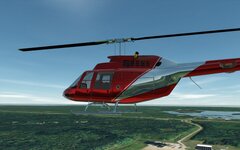
And something good did come from all the "Büffeln", delving through the docs I found out that metal maps are supported! (new in Orbiter2024?!)
Makes the helis look crazy cool.:love:
0013.jpg
0014.jpg
 
That was a major motivation:)

If you push it it'l just go over 6500m, so a service ceiling of 6300m checks out(y):)

Unfortuneately spent far too much time on code, and am getting nowhere, stumbling on very basic issues! The intention was to add an auto level.
@Gondos has done an excellent job porting the Atlantis and DG to LUA(y), but the code is still a little daunting for me. The DG comes with an autopilot which could be adopted but attempts so far have failed.
Otherwise everything except a minor lighting issue is running perfectly!

And something good did come from all the "Büffeln", delving through the docs I found out that metal maps are supported! (new in Orbiter2024?!)
Makes the helis look crazy cool.:love:
View attachment 42812
View attachment 42813

Oh my god! That metallic shader is perfectly beautiful!
 
If you push it it'l just go over 6500m, so a service ceiling of 6300m checks out(y):)
Nice :cool:
Unfortuneately spent far too much time on code, and am getting nowhere, stumbling on very basic issues! The intention was to add an auto level.
@Gondos has done an excellent job porting the Atlantis and DG to LUA(y), but the code is still a little daunting for me. The DG comes with an autopilot which could be adopted but attempts so far have failed.
If your CG is properly located below the rotor mast it should level all by itself when you release the controls with no level autopilot needed.

The R-4 has a hover autopilot that simply adjusts the collective to hold vertical airspeed to 0.

Otherwise everything except a minor lighting issue is running perfectly!

And something good did come from all the "Büffeln", delving through the docs I found out that metal maps are supported! (new in Orbiter2024?!)
Makes the helis look crazy cool.:love:
View attachment 42812
View attachment 42813
Those are beautiful!
 
If your CG is properly located below the rotor mast it should level all by itself when you release the controls with no level autopilot needed.
It's very stable, I've fine tuned the COG, with a very minimal preference to pitch down/forward as apposed to the opposite. An auto level would be more for conveinience than necessity, but I wouldn't say it self corrects, it seems rather to mantain attitude?
If you have time give a whirl, I'd be interested in your opinion.
 
I am wondering if that metallic effect could be used to make some pseudo rear view and wing mirrors for my VW thing. Can't actually see anything, but it would add to the immersion. A steering wheel would also probably add some immersion too. :confused:
 
I am wondering if that metallic effect could be used to make some pseudo rear view and wing mirrors for my VW thing. Can't actually see anything, but it would add to the immersion. A steering wheel would also probably add some immersion too. :confused:
Yes, but bear in mind, very poor quality (pixelation), and very low refresh rates (even if set to max in d3d9), I don't know how good that would work on a small surface. And I would suggest using the (old) .cfg material based method, easier to implement for a single object.
 
I did a quick test with a 20cm cube with a 100% black tex. and 100% white (max) _spec and _refl maps. Now I wouldn't want to do my driving test with it but as a visual effect it might be ok?
0654.jpg
 
Very interesting. How exactly do you apply this? Is it a special texture?
They are the D3D9+ additional texture maps. black/white dxt1 .dds files (they just have the extension _spec.dds etc.).
I've attached the cube and textures so you can take a look. It's the same technique used with the fwt, see: fwt tex. update post.
 

Attachments

I did a quick test with a 20cm cube with a 100% black tex. and 100% white (max) _spec and _refl maps. Now I wouldn't want to do my driving test with it but as a visual effect it might be ok?
View attachment 43237
Landscape has low resolution, so it's difficult to evaluate the quality of the "mirror". Maybe try to look at the reflection of the DG in this "mirror". Or some mesh with text.

I thought about mirrors in Orbiter, but I'm afraid they can't be quality enough for now (using additional D3D9 texture maps). By the way, there's the default MFD (camera), that can be used as a mirror, but it has low frame rate.
 
Back
Top