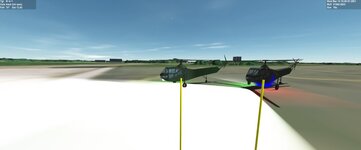
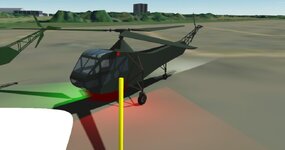
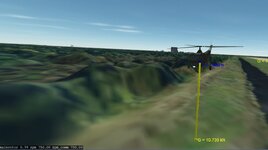
Problem Sikorsky R4 in C++ (port from Lua)

It isn't that complicated since you don't need to know everything of CMake just for compiling Orbiter add-ons, but its a completely different process. The advantage is, you can make your sources completely independent of any compiler or system assumptions, maybe you would even support multiple different Orbiter versions with just one build script.
Thanks. trying to follow the tutorial and not sure about the source files,....
 
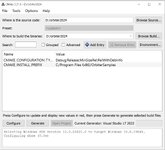
Ok I got cmake to run: but then the directions say"When done go to Orbiter root and launch ”‘OrbiterSamples.sln” which should open Visual Studio program. Don’t worry about the red lines shown in the application. The ”install prefix” would be important if an installation procedure would be in use but it’s not."
But this file is not found
 

Attachments

  • cmake1.jpg
    cmake1.jpg
    57.2 KB · Views: 4
Weird. In the LUA scripted the lights and info work. In the DLL I get no lights and info display. I also noticed on the DLL when you kill the engine the blades instantly stop in the scrip it slowly comes to a stop.
I tired to get the beacons to come on. But could only get 1. I looked at the DG code for guidance
 

Attachments

  • scriptcopter.jpg
    scriptcopter.jpg
    37.1 KB · Views: 5
Last edited:
Weird. In the LUA scripted the lights and info work. In the DLL I get no lights and info display. I also noticed on the DLL when you kill the engine the blades instantly stop in the scrip it slowly comes to a stop.
I tired to get the beacons to come on. But could only get 1. I looked at the DG code for guidance
It may be a C++-specific feature that causes the motors to stop instantly. I can't remember what code was responsible for this at the moment, but I'll investigate later.
 
So I finally got the Nav beacons to come on. I was working on the searchlight comparing to the scripted R4. Then I realized the spotlight was on on the R4.

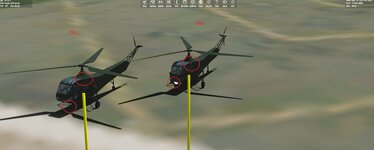
So how to get lights to be seen in 2024? I thought I had it working but Spotlight2 is not showing light?
 

Attachments

  • r4light1.jpg
    r4light1.jpg
    46.8 KB · Views: 5
  • r4light2.jpg
    r4light2.jpg
    77.7 KB · Views: 5
I got the spot lights to work.

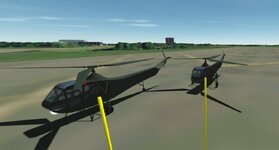
I got the nav beacons to work and spotlight. BUT the searchlight beacon. It should be white but it is blue. It should high and away from the copter. But it is in the center of the copter.


VECTOR3 searchlightcol[1] = { {1,1,1} };//white
VECTOR3 searchlight1_pos = (_V(10, 40.49492, 22.093));

searchlight_beaconspec[0].shape = BEACONSHAPE_COMPACT;
searchlight_beaconspec[0].pos = &searchlight1_pos;
searchlight_beaconspec[0].col = &searchlightcol[0];
searchlight_beaconspec[0].size = 1;
searchlight_beaconspec[0].falloff = 0.6;
searchlight_beaconspec[0].period = 0;
searchlight_beaconspec[0].duration = 0;
searchlight_beaconspec[0].tofs = 0;
searchlight_beaconspec[0].active = true;
AddBeacon(searchlight_beaconspec);
 

Attachments

  • r4light3.jpg
    r4light3.jpg
    31.9 KB · Views: 3
It appears that you define the searchlight color in position 1 (and I'm not sure the vector notation is correct with the double brackets, but I am not so familiar with VECTOR3 in C++):

Code:
VECTOR3 searchlightcol[1] = { {1,1,1} };//white

but reference it in position 0:

Code:
searchlight_beaconspec[0].col = &searchlightcol[0];

I am also not so sure that you need the outer parentheses in the searchlight direction definition:

Code:
VECTOR3 searchlight1_pos = (_V(10, 40.49492, 22.093));
 
Thanks
Made some changes. the beacon is dark red.
VECTOR3 searchlight_pos = operator-(_V(0, -0.49492, 2.093), cg);
VECTOR3 searchlightcol[1] = { {1,1,1} };
VECTOR3 searchlight1_pos = _V(10, 40.49492, 22.093);

searchlight_beaconspec[0].shape = BEACONSHAPE_COMPACT;
searchlight_beaconspec[0].pos = &searchlight_pos;
searchlight_beaconspec[0].col = &searchlightcol[1];
searchlight_beaconspec[0].size = 1;
searchlight_beaconspec[0].falloff = 0.6;
searchlight_beaconspec[0].period = 0;
searchlight_beaconspec[0].duration = 0;
searchlight_beaconspec[0].tofs = 0;
searchlight_beaconspec[0].active = true;
AddBeacon(searchlight_beaconspec);
 

Attachments

  • r4light4.jpg
    r4light4.jpg
    47.2 KB · Views: 2
I got it fixed:)

The engine part is what I am looking at.
Looking at the script version when you start the engine the rpm built up and when you turn it off. It slowly goes down.

On this though it is instant off/on. And when I apply throttle it the rpm raises fast. in the script it raises slowly.

Here is where the rotors are spun:

double dt = oapiGetSimStep();
main_rotor_anim_state = std::fmod((main_rotor_anim_state + (rpm_comm * (dt / 60))), 1);
when running it rpm and rpm.comm are the same value

VECTOR3 vHorizonAirspeedVector = { 0 };
GetHorizonAirspeedVector(vHorizonAirspeedVector);
double airspeed = vHorizonAirspeedVector.z;

if (engine_on == true) {

rpm_comm = min_rpm + throttle_level * (max_rpm - min_rpm);

}
else if (engine_on == false && GroundContact() == false) {

// rpm_comm = 0.5 * engine_spec.max_rpm;
rpm_comm = ((2 * 7 * airspeed / main_rotor_spec.diameter) * (60 / (2 * PI)));
}
else if (engine_on == false && GroundContact()) {

rpm_comm = 0;

}
int max_rpm = 2050; //maximum engine speed (rpm)

int min_rpm = 750; //idle engine speed (rpm)
throttle level is main thrust level

As I understand turn the engine on no throttle
rpm_comm = min_rpm + throttle_level * (max_rpm - min_rpm);
rpm_comm = 750 + 0*(2050-750) so rpm_comm = 750 and at full throttle 2650

But should it built up to 750 or down if engine on/off?

 

Attachments

  • r4light5.jpg
    r4light5.jpg
    49.1 KB · Views: 3
I got it fixed:)

The engine part is what I am looking at.
Looking at the script version when you start the engine the rpm built up and when you turn it off. It slowly goes down.

On this though it is instant off/on. And when I apply throttle it the rpm raises fast. in the script it raises slowly.

Here is where the rotors are spun:

double dt = oapiGetSimStep();
main_rotor_anim_state = std::fmod((main_rotor_anim_state + (rpm_comm * (dt / 60))), 1);
when running it rpm and rpm.comm are the same value

VECTOR3 vHorizonAirspeedVector = { 0 };
GetHorizonAirspeedVector(vHorizonAirspeedVector);
double airspeed = vHorizonAirspeedVector.z;

if (engine_on == true) {

rpm_comm = min_rpm + throttle_level * (max_rpm - min_rpm);

}
else if (engine_on == false && GroundContact() == false) {

// rpm_comm = 0.5 * engine_spec.max_rpm;
rpm_comm = ((2 * 7 * airspeed / main_rotor_spec.diameter) * (60 / (2 * PI)));
}
else if (engine_on == false && GroundContact()) {

rpm_comm = 0;

}
int max_rpm = 2050; //maximum engine speed (rpm)

int min_rpm = 750; //idle engine speed (rpm)
throttle level is main thrust level

As I understand turn the engine on no throttle
rpm_comm = min_rpm + throttle_level * (max_rpm - min_rpm);
rpm_comm = 750 + 0*(2050-750) so rpm_comm = 750 and at full throttle 2650

But should it built up to 750 or down if engine on/off?
rpm_comm is the commanded engine level. There is a following bit of code that lags the actual rpm:

Code:
    if rpm ~= nil then

        rpm = rpm + 0.01*(rpm_comm-rpm)

    else

        rpm = rpm_comm

end

You probably don't need to protect rpm from being nil.
 
I have this:
if (rpm == 0) {

rpm = rpm + 0.002 * (rpm_comm - rpm);

}
else {

rpm = rpm_comm;

}

what value is nil?
how does this translate to C++
if rpm ~= nil
 
what value is nil?
how does this translate to C++
if rpm ~= nil

nil is the NULL value of Lua. An undefined variable is always nil. In C++, you can ignore this if condition, since variables always exist if they are declared.
 
I wonder if this is translated correctly:
if rpm ~= nil then
rpm = rpm + 0.01*(rpm_comm-rpm)
else rpm = rpm_comm

to this:
if (rpm == 0) {

rpm = rpm + 0.01 * (rpm_comm - rpm);

}
else {

rpm = rpm_comm;

}
Not sure about the if statement
 
I wonder if this is translated correctly:
if rpm ~= nil then
rpm = rpm + 0.01*(rpm_comm-rpm)
else rpm = rpm_comm

to this:
if (rpm == 0) {

rpm = rpm + 0.01 * (rpm_comm - rpm);

}
else {

rpm = rpm_comm;

}
Not sure about the if statement
nil in Lua isn't the same as being equal to 0. nil means the variable is undefined.

If rpm is properly defined in C++ you don't need the if loop at all. The following will suffice:

Code:
rpm = rpm + 0.01*(rpm_comm-rpm)
 
Thanks. now the rotors slow. Really only 2 things to fix.
The help screen is not loading

The other one maybe related? the save state. Even though I start the scn with engine on false and lighton false. The lights are not on. but it takes 2 pushes of CTRL L to get the lights on?? And I have to CTRL E to kill the engine?
 
So I have this for the save code.
This saves the states in the scn.
void R4::clbkSaveState(FILEHANDLE scn) {

SaveDefaultState(scn);

MainRotorSpec main_rotor_spec;

//char * strings (for std=C++20)
char ch_floats[] = "floats";
char ch_color[] = "color";
char ch_true[] = "true";
char ch_false[] = "false";
char ch_brakeh[] = "brake_hold";
char ch_engine[] = "engine_on";
char ch_lights[] = "lights_on";
char ch_althld[] = "altitude_hold";
char ch_alttgt[] = "altitude_target";
char ch_rpm[] = "rpm";
char ch_thlvl[] = "throttle_level";
char ch_collective[] = "collective";
char ch_cabin_light_level[] = "cabin_light_level";
char ch_instr_light_levl[] = "instrument_light_level";

if (floats == true) {

oapiWriteScenario_string(scn, ch_floats, ch_true);

}
else if (floats == false) {

oapiWriteScenario_string(scn, ch_floats, ch_false);

}
if (brake_hold == true) {

oapiWriteScenario_string(scn, ch_brakeh, ch_true);

}
else if (brake_hold == false) {

oapiWriteScenario_string(scn, ch_brakeh, ch_false);

}
if (engine_on == true) {

oapiWriteScenario_string(scn, ch_engine, ch_true);

}
else if (engine_on == false) {

oapiWriteScenario_string(scn, ch_engine, ch_false);

}
if (lights_on == true) {

oapiWriteScenario_string(scn, ch_lights, ch_true);

}
else if (lights_on == false) {

oapiWriteScenario_string(scn, ch_lights, ch_false);

}
if (altitude_hold == true) {

oapiWriteScenario_string(scn, ch_althld, ch_true);

}

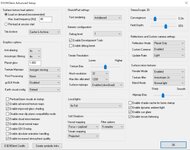
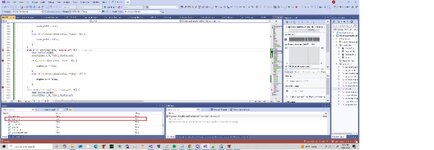
But when I run the debugger. The first run is good engine_on false. I press continue a couple of times and now engine_on is true?

scn:
gattis:R-4gattis
STATUS Landed Earth
POS -80.6825905 28.5968372
HEADING 330.17
ALT 0.735
AROT 65.919 34.028 9.468
AFCMODE 7
PRPLEVEL 0:0.980143
NAVFREQ 0 0
floats false
engine_on false
lights_on false
brake_hold true
altitude_target 0.0
rpm 0.0
throttle_level 0.0
collective 0.0
cabin_light_level 1.0
instrument_light_level 0.0
END
 

Attachments

  • engineonfalse.jpg
    engineonfalse.jpg
    52.1 KB · Views: 2
  • engineontrue.jpg
    engineontrue.jpg
    58.8 KB · Views: 2
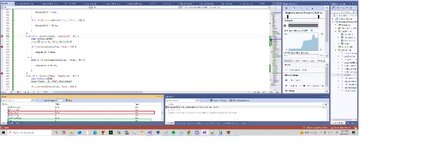
Ok. I have search the entire solution and comment every reference to engine_on. And I start the scn with engine_on false. But end the scn with engine_on true.
This is where it must be doing it.
<code>
void R4::clbkLoadStateEx(FILEHANDLE scn, void* vs) {

MainRotorSpec main_rotor_spec;
char* line;

while (oapiReadScenario_nextline(scn, line)) {

if (!_strnicmp(line, "engine_on", 9)) {
char boolvalue[10];
sscanf(line + 9, "%9s", boolvalue);

if (_strnicmp(boolvalue, "true", 4)) {

engine_on = true;

}
else if (!_strnicmp(boolvalue, "false", 5)) {

engine_on = false;

}
}
</code>
 
Back
Top