

So you want the grey rectangle slid up, so the barber pole shows, on all, correct ?
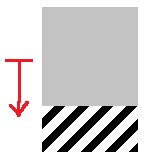
Sort of, but the gray rectangle (actually a square in reality) should slide down to cover the barberpole background. But I don't think we need the group to move, as the changing will be done by playing with the texture coordinates in the code. We just need a group where the window of the talkback is, and the default texture of that group should be gray on top and barberpole on the botton. So the texture for those needs to be a gray square with a barberpole rectangle immediatly below.
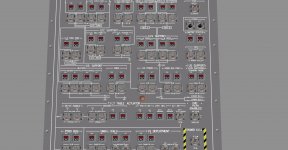
Another question is: where will those talkback textures be located? Because these talkbacks will still be done using the texture painting method, so each needs it's own area in a texture so it can be painted over. When we shift to the new method of playing with the texture coordinates, a texture for just one talkback will be enough.
---------- Post added at 01:13 PM ---------- Previous post was at 01:12 PM ----------
What about the default positions for switches 35-38, which have three position. ?
All up please, both switches and the levers. :thumbup:

 . And then we have to make sure there aren't any new bugs introduced by it. It's a risk already to add the Centaur (and now the IUS) to the system, but I think the benefits of those 2 (more payloads for the users to play with) offset the risks.


