3D Orbiter images?

I just take two screenshots and kluge them together in MS Paint.

I can't get the hang of parallel, mine has to be crosseye.

As for Artlav talking about implementing this with a 50% FPS hit, that won't help me, since my FPS is about 9 with my Vista machine...:thumbsdown:
 
Hi guys,
I've been lurking on this forum for a long time...
Since 3D viewing is something I really enjoy I thought I could share some links with you.
I hope you like them!

Google Earth in 3D (cross eye) through the browser
http://earth-api-samples.googlecode.com/svn/trunk/demos/stereo/stereo.html

Google Earth stand alone
http://stereo.jpn.org/eng/stge/stbrhelp.html

Youtube Avatar trailer in 3D (you can choose the 3D viewing style using a combo just under the video; I suggest you watch this opening a new window to the youtube website)
youtube.com/watch?v=nZmpw2AFU2I
 
As for Artlav talking about implementing this with a 50% FPS hit, that won't help me, since my FPS is about 9 with my Vista machine...:thumbsdown:

Stereo rendering might be cool for a while, but I wouldn't want to sit staring crosseyed at my screen for an entire moon trip :blink:

Youtube Avatar trailer in 3D (you can choose the 3D viewing style using a combo just under the video; I suggest you watch this opening a new window to the youtube website)
youtube.com/watch?v=nZmpw2AFU2I

Is it me, or is that trailer's 3D effect really underwhelming? I hardly saw any effect at all. Maybe I've just been spoiled by the movie :)
 
That's one reason, another reason is the fact that the trailer's 3D effect was made only using one video source. Meaning the 3D efect was generated using only one 2D camera view. It's not a true 3D video, with 2 video sources, one for each angle.
 
The 3D bug is loose! Very hard to put that djinni back in the bottle.

Here are two 3d views of what I hope will be my first add-on:

http://www.stillmixtup.com/orbiter/Mule3D.html

I call it M.U.L.E. (Moon Utility Lift Engine)

Still some modelling to go and then the real work starts.
 
I have made a few more:

Airlock.png


DGNose.png


Jupiter2.png
 
OK, image posting test...

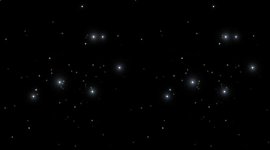
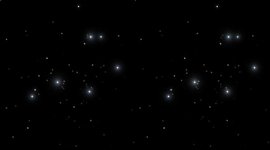
Both images produced using Celestia.

Pleiades parallel method
attachment.php


Pleiades crosseye method
attachment.php


Still don't get it. How do I get the "click to enlarge" bar?
 

Attachments

  • p_par.JPG
    p_par.JPG
    6.4 KB · Views: 248
  • p_x.JPG
    p_x.JPG
    6.4 KB · Views: 250
Last edited by a moderator:
As for Artlav talking about implementing this with a 50% FPS hit, that won't help me, since my FPS is about 9 with my Vista machine...:thumbsdown:
Artlav would probably do this in OGLA, and I'd bet that your FPS is much higher using OGLA than the default DX7 client.
 
Is it me, or is that trailer's 3D effect really underwhelming?

Well, I admit it's not that big of an effect (I haven't seen the movie yet...). Still, the first time I saw it I thought it was nice that youtube offered this type of 3D viewing.

Anyway, I have some other links for you folks to enjoy:

These are fake 3D done by editing real life pictures of nebulas (mostly), to give left-right offset to only some parts of the image. The results are stunning!
http://astroanarchy.blogspot.com/search/label/stereo images

Here you can find images of our sun's surface taken by the STEREO mission. Be sure to download the original size images, and then view them side by side with whatever viewer you use (swapping them for parallel eye or cross eye viewing).
http://www.nasa.gov/mission_pages/stereo/multimedia/LeftRightImages.html?id=3dimages&iid=15

And here are the raw images uploaded from the Opportunity and Spirit rovers on Mars. For example one can view the 'navigation camera' pictures for a certain 'sol'... you can often find pair of similar images: they are the left and right image. You just need to download them and view them side by side.
http://marsrovers.jpl.nasa.gov/gallery/all/
 
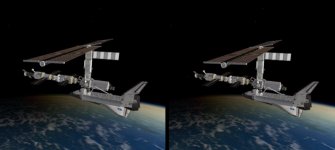
You can see the depth in this one.
 

Attachments

  • STS-98 crossed.jpg
    STS-98 crossed.jpg
    31.3 KB · Views: 67
Last edited:
These are making my eyes go all buggy, but it's kind of fun to do...
Here is my third try, the first two had mouse pointers in the way, man that was freaky...

 
And a new bird out of the dock, in 3D:

Parallel:
ar_3d_1_par.jpg


Cross:
ar_3d_1_crs.jpg
 
Back
Top