Project VesselBuilder for Orbiter

Been playing a bit more with VB :)

The visual thruster indicator (green line show location) seems to be reversed.
It's a problem because the line goes from the engine location towards the inside of the vessel mesh.... becoming invisible.
For me it would be better if the line showed the actual thrust (and exhaust) direction.

that's very easy to change and I think it is a good point. I'll do that.
 
I figured out the sizing. Just because a part looks like a square, doesn't mean it is mapped that way. :facepalm:
 
I Fred !:tiphat:

Unfortunately, I do not have much time right now because of my job,
but I follow passionately this thread about your amazing module !!!

I' had just a quick look. For the animations this seems clear to me : I have no problem with multistage and spacecraft well, so I just have to learn with your module.

But... MY question (once again, sorry for my insistence) ....

Few weeks ago, I asked you about that :
Will it be possible to simulate an umbilical mat with cryogenic arm and umbilicus ?
That is to say a "immobile vessel" (BUT AN OTHER VESSEL) placed on the ground with the cryogenic arms and umbilical that can retract during the launching of a ROCKET (so, a different vessel)


and your answer was :
Absolutely yes... With the events section it will be possible to trigger animations at certain time, so it will be enough to sync the times between tower and rocket.

And.. I'd a look in the "events" section, and I did not found how to do this...
May be not yet implemented ? :hmm:

:banana:One more time : Thanks for this "merveilleux" module.

Jacques

 
MFD vector positions are not saved either.

---------- Post added at 03:14 AM ---------- Previous post was at 02:45 AM ----------

Never mind, I must not have saved it b y clicking set.
 
Last edited:
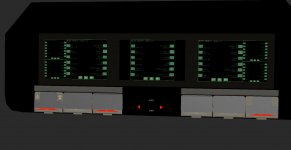
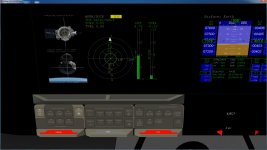
Made a template for having touch screens.
 

Attachments

  • Template used for touchscreen control.jpg
    Template used for touchscreen control.jpg
    87.1 KB · Views: 56
  • Cockpit with touch screens.jpg
    Cockpit with touch screens.jpg
    187.1 KB · Views: 53
I Fred !:tiphat:

Unfortunately, I do not have much time right now because of my job,
but I follow passionately this thread about your amazing module !!!

I' had just a quick look. For the animations this seems clear to me : I have no problem with multistage and spacecraft well, so I just have to learn with your module.

But... MY question (once again, sorry for my insistence) ....

Few weeks ago, I asked you about that :
Will it be possible to simulate an umbilical mat with cryogenic arm and umbilicus ?
That is to say a "immobile vessel" (BUT AN OTHER VESSEL) placed on the ground with the cryogenic arms and umbilical that can retract during the launching of a ROCKET (so, a different vessel)


and your answer was :
Absolutely yes... With the events section it will be possible to trigger animations at certain time, so it will be enough to sync the times between tower and rocket.

And.. I'd a look in the "events" section, and I did not found how to do this...
May be not yet implemented ? :hmm:

:banana:One more time : Thanks for this "merveilleux" module.

Jacques

I will prepare a small example for this. I have a very busy morning but I will send it this afternoon or tonignt!

Made a template for having touch screens.

:hailprobe: how beautiful!!!!!!!
 
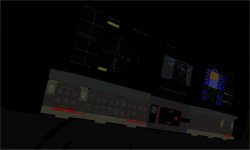
Here is a view from Ripley's seat.
 

Attachments

  • Ripley's view.jpg
    Ripley's view.jpg
    53.9 KB · Views: 44
What would be the best way to light the cockpit ? By a point of light or a spotlight ?
 
What would be the best way to light the cockpit ? By a point of light or a spotlight ?

I honestly think that's an old a difficult question... As far as I know, the mosto common way at the moment is through setting the emissive property of cockpit material. It's ugly but it works... Otherwise I'd use a spotlight that points inside the vessel because I suspect a point light will light also the nearby vessels... but then it's a matter of experimenting because I have no idea :shrug:
 
Trying to figure out the lights now.

Did you get a chance to look at the position saving of the lights ?

If the spotlights aren't set for always, you can't see them in the generic camera view.
 
So, as promised to Jacquesmomo I have made a very simple example to show how events can be used to sync pad umbilical and launch.

I used some meshes and textures of the jarvis pack (which for this time I included into the pack) to make a very quick and dirty tower and rocket. The good part is that it took me half an hour to make both the tower and the rocket and to sync everything, so it seems that the potential of VB is confirmed.

@Jacques: your launch scenario is in scenarios->VesselBuilder1->Pad Test Jacques. it starts around 20 seconds before the launch, you can sit there and have a look at the umbilical openings.

Here is what you are supposed to see:

@Donamy: the modules in the package are the latest updates with the fix of the visibility light issue
 

Attachments

I usually adjust the emmissive setting. That how the mfd brightness is adjusted in the shuttle

So let me ask another question. I suppose in building a cockpit. One could have a MFD mesh, right. And add that to the vessel and set as a MFD? This way if you had a static cockpit mesh you could add mfd's.

The easy way to do 3d panels is from the mesh. So set a button for rcs and if rcs is on then the button moves out behind the panel and is now seen.


The thing That I really like is the follow me feature. It helps me visually for locations of TD and thrusts,......
Then I can used the values in sc3 or my own cpp
 
Last edited:
So let me ask another question. I suppose in building a cockpit. One could have a MFD mesh, right. And add that to the vessel and set as a MFD? This way if you had a static cockpit mesh you could add mfd's.

yep, I don't see why not.

The thing That I really like is the follow me feature. It helps me visually for locations of TD and thrusts,......
Then I can used the values in sc3 or my own cpp

sure: I personally used SC3 some years ago a lot to test animations and stuff and then make my dll of the vessel when I had all the numbers ready, with VB should be even easier, and since it includes many aspects of the Vessel's API it can be a good starting point for those who are willing to learn how to code vessels.
 
Is it possible to make the the lights, separate from each other ?
 
Yes ? Doesn't Cntrl+L turn them all on ?
 
So how many lights can Orbiter handle. I thought it was only 8?
 
Yes ? Doesn't Cntrl+L turn them all on ?

nope,
Code:
[ALT]+[B] = Toggle All Beacons
[CTRL]+[L] = Toggle Next Light Emitter

Ctrl+L cycles through light emitters, while alt+b toggle all beacons. That's because I think that beacons are usually lit all at once, while lights can have the needing of being lit separately. To make a command for each light was messy, so (for now) the option is to cycle through them using CTRL+L.

I have actually a plan that when everything works I'll add a (very simple) MFD that will give the opportunity to do basically what the keyboard keys do now, so user will be able to switch lights, beacons, animations, cameras etc using the mfd.


So how many lights can Orbiter handle. I thought it was only 8?

I didn't know there was a limitation at all
 
I'm getting the debug.dll CTD again. :(
 
Back
Top