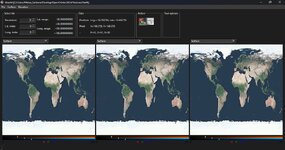
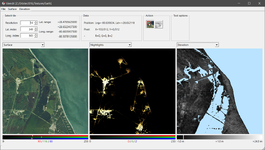
How to compile TileEdit on Windows using MSYS2:
1. Download and install MSYS2 from the official website:
https://www.msys2.org/#installation
2. In the Start Menu, click on MSYS2 UCRT64, which has this yellow icon:

3. The Bash shell will open. Once open, we will begin updating the entire MSYS2 system.
3.1. Run the following command to update the pacman database (PACkage MANager):
And answer the terminal questions by typing Y and pressing ENTER, for YES.
3.2 - Once everything is updated, we will install the necessary packages to compile TileEdit correctly:
Bash:
pacman -Syu git mingw-w64-ucrt-x86_64-OpenSceneGraph mingw-w64-ucrt-x86_64-cmake mingw-w64-ucrt-x86_64-geos mingw-w64-ucrt-x86_64-make mingw-w64-ucrt-x86_64-osgearth mingw-w64-ucrt-x86_64-qt-creator mingw-w64-ucrt-x86_64-qt6-base mingw-w64-ucrt-x86_64-qt6-declarative mingw-w64-ucrt-x86_64-qt6-quick3d mingw-w64-ucrt-x86_64-qt6-serialport mingw-w64-ucrt-x86_64-qt6-shadertools mingw-w64-ucrt-x86_64-qt6-svg mingw-w64-ucrt-x86_64-qt6-tools mingw-w64-ucrt-x86_64-qt6-translations
4. Now we're going to clone the orbiter-tileedit-qt GitHub repository using the MSYS2 Git program.
4.1. In the same MSYS2 UCRT64 console, run the following command:
Bash:
git clone https://github.com/MatiasSaibene/orbiter-tileedit-qt.git
4.2.- Next, we change to the directory where the source code is located using the command:
Bash:
cd "orbiter-tileedit-qt\Windows_MSYS2"
4.3.- Next, we generate the compilation files with CMake:
Bash:
cmake -B build -S . -G "MinGW Makefiles" -DCMAKE_BUILD_TYPE=Release
4.4.- Next, we compile the source code with the command:
Bash:
cmake --build build --parallel
4.5 - Next, we change to the directory where the TileEdit executable is located:
4.6 - Now we will copy the necessary DLL libraries for TileEdit to function, using this command:
Remember to enter the entire command block exactly as it appears here:
Bash:
cp /c/msys64/ucrt64/bin/Qt6Core.dll \
   /c/msys64/ucrt64/bin/Qt6Gui.dll \
   /c/msys64/ucrt64/bin/Qt6Widgets.dll \
   /c/msys64/ucrt64/bin/libb2-1.dll \
   /c/msys64/ucrt64/bin/libbrotlicommon.dll \
   /c/msys64/ucrt64/bin/libbrotlidec.dll \
   /c/msys64/ucrt64/bin/libbz2-1.dll \
   /c/msys64/ucrt64/bin/libdouble-conversion.dll \
   /c/msys64/ucrt64/bin/libfreetype-6.dll \
   /c/msys64/ucrt64/bin/libgcc_s_seh-1.dll \
   /c/msys64/ucrt64/bin/libglib-2.0-0.dll \
   /c/msys64/ucrt64/bin/libgraphite2.dll \
   /c/msys64/ucrt64/bin/libharfbuzz-0.dll \
   /c/msys64/ucrt64/bin/libiconv-2.dll \
   /c/msys64/ucrt64/bin/libicudt78.dll \
   /c/msys64/ucrt64/bin/libicuin78.dll \
   /c/msys64/ucrt64/bin/libicuuc78.dll \
   /c/msys64/ucrt64/bin/libintl-8.dll \
   /c/msys64/ucrt64/bin/libmd4c.dll \
   /c/msys64/ucrt64/bin/libpcre2-16-0.dll \
   /c/msys64/ucrt64/bin/libpcre2-8-0.dll \
   /c/msys64/ucrt64/bin/libpng16-16.dll \
   /c/msys64/ucrt64/bin/libstdc++-6.dll \
   /c/msys64/ucrt64/bin/libwinpthread-1.dll \
   /c/msys64/ucrt64/bin/libzstd.dll \
   /c/msys64/ucrt64/bin/zlib1.dll \
   .
4.7.- Next, we create the platforms folder like this:
4.8 - And finally, we copy the qwindows.dll library into the platforms folder:
Bash:
cp "C:\msys64\ucrt64\share\qt6\plugins\platforms\qwindows.dll" ./platforms/
4.9.- Our executable tileedit.exe will be located in orbiter-tileedit-qt\Windows_MSYS2\build\src and from there we can open it.
5.- Test and enjoy!