Project Space Transportation System 2016

When I tried to create the symbolic link before, it wouldn't let me and said "a non-empty config-directory already exists."
This is given due to a manual copy-paste of Config, instead of using symbolic links creation.
Solution:
Go into Modules/Server folder and delete from there the manually copied Config folder.
Then go into D3D9 window and create the Symbolic Links.
You should get this:
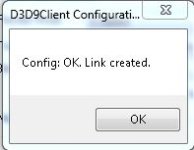
symblinkok.JPG

Your Modules/Server should look like this (note the "shortcut"symbol on the Config folder):
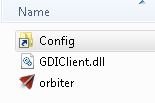
d3d9symblinks.JPG

Give it a try.
 
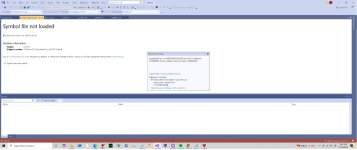
This so weird. I was making the PAM work in SSV. But when I apply thrust it ctd. Nothing in the log. It runs in default graphics. BUT if I apply some rcs and apply thrust it works?
If I run a debug it justs says symbols not loaded.
 

Attachments

  • SYMBOLNOTLOADED.jpg
    SYMBOLNOTLOADED.jpg
    44.2 KB · Views: 10
Last edited:
This so weird. I was making the PAM work in SSV. But when I apply thrust it ctd. Nothing in the log. It runs in default graphics. BUT if I apply some rcs and apply thrust it works?
If I run a debug it justs says symbols not loaded.
Hi. I didn't observe such problem in STS2016 with the PAM's direct firing. An important point here, since you noticed that it works after using the RCS, is the initialization of the PAM - in the code, check how the PAM is initialized (initial state or sequences which may need to be set). I am not a specialist in this, just some vague thoughts.
 
Back
Top