Humor Random Comments Thread


Maybe you prefer desktop version and I'm okay with that kind of masochism. :lol:

But desktop pages on mobiles are never, ever better than their mobile apps counterparts. On the one (historic) hand you get 17" to 21" screens, put on their long axis (meaning width > height), and on the other hand you get 5" to 10" screens that are more often used on their short axis but can be rotated. (I'm talking about size and not resolution as it's most probable that your mobile phone and your desktop monitor have the same resolution of 1920x1080).
Therefore for desktop websites you end up with either static layouts which are taylored to the most common denominator (small 15" laptop screens) or the more recent, and better dynamic layouts (like this forum's desktop website is). They are crafted with the horizontal screen and mouse/kayboard in mind.
On the other hand, mobile forms primarily taylor to touchscreen and soft keyboard controls (meaning way less stuff to type) and a vertical screen. But more importantly, as the screen is much smaller, the interface will inevitably be less cluttered (hence swipe menus, dropdowns and all the likes that trade accessibility for screen space). In a big 19" screen you have space for a top bar, on-screen footers, and/or side menus, but cramming all of that into a mobile screen will just waste useful space for what matters.

But several mobile pages are downgraded because of the misconception that page hits are in majority desktop users, which is simply not true anymore and for a good while. And on the contrary, other websites just put all of their work into a mobile layout that they simply upscale their tablet view to become their desktop websites.

But in the end, the associated application, whose UI is much better handled by your phone OS than your web browser, will always be better than the mobile version of a website, which in turn is always better than the desktop version; because nobody should have to go through the torture of scolling up, down, left and right on a 1920x1080 based layout on their 5" smartphone.

[/rant] (and sorry for it)
 
If you did the web design properly, the device you use for viewing it shouldn't matter at all. Even a text-only browser for disabled persons should work with it. Sadly, most websites use a very limited subset of the standards, which covers just barely enough to support obsolete content management systems and works with intentionally standard-violating Microsoft browsers.

It would even be no problem to fit a HTML browser into a Orbiter MFD, if you just follow the standard and ignore all the non-sense of the world.
 
Last edited:
Can't agree with that at all. I can name at least three sites off the top of my head that I prefer the desktop version on my phone.

Pretty much every site I visit on my phone I request the desktop version because the mobile versions are missing features, not screen-friendly, and generally unusable.
 
A usable mobile version of a site is a very rare sight.
I can't really think of one other than Gmail off the top of my head.
A lot of them are just nagware trying to force you to use an app, which is even worse.
 
Tomorrow's the final day of my final exam, hand-in at 18:00, not a millisecond later. Got to proof-read and correct 53 pages of documentation this evening or I'll get in trouble...

 
Anybody also testing Sailaway right now?
 
Huh... I don't suppose they have a Windjammer in there? I'm decently familiar at handling the usual boats, don't really need a simulator for that, but a realistic simulation of a more complex ship might be interesting.
 
Huh... I don't suppose they have a Windjammer in there? I'm decently familiar at handling the usual boats, don't really need a simulator for that, but a realistic simulation of a more complex ship might be interesting.

Not yet - also I don't think they will do that soon. The seem to focus more on ocean racing, today is the start of a small race at the Robinson Crusoe Island.

Also... even a simple boat is pretty complex there. Lots of lines to manipulate to get a good sail trim, reefing also matters at times.
 
Lots of lines to manipulate to get a good sail trim, reefing also matters at times.

Of course it does, but I can do most of that stuff IRL (well, could have done at least, it's been a while...). Not much of a racer, though.
 
Of course it does, but I can do most of that stuff IRL (well, could have done at least, it's been a while...). Not much of a racer, though.

Also not racing much there, the physics engine is still a bit nasty with high-performance yacts... but should the game get a Volvo Ocean 65 class in it until August, it could get interesting...
 
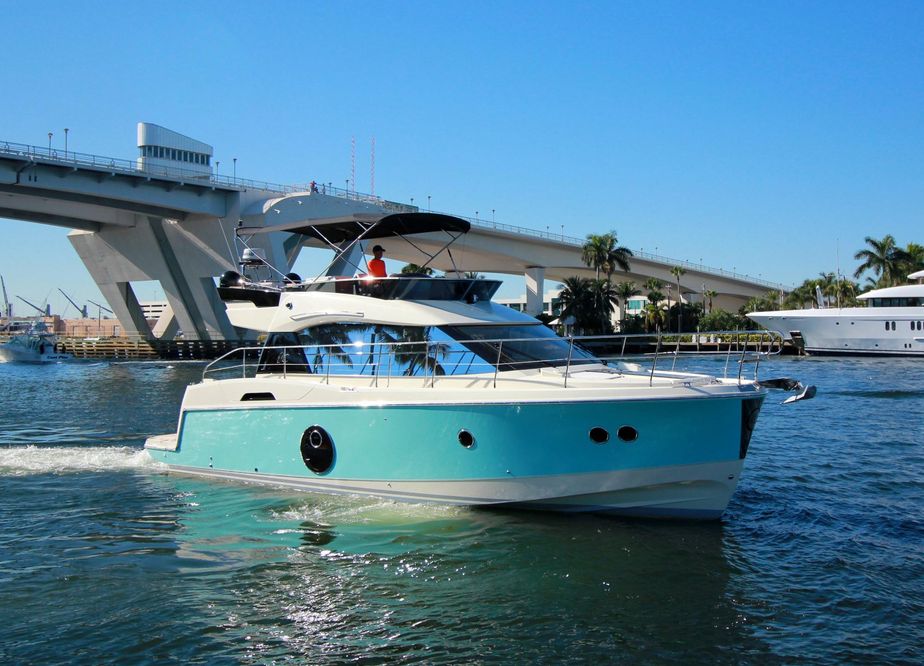
I'm more interested in purchasing a MonteCarlo 45 (MC4) myself.

Got to get it past the wife though. She'd notice it.
 
I'm more interested in purchasing a MonteCarlo 45 (MC4) myself.

Got to get it past the wife though. She'd notice it.

I think the newer 29ers are cool and in my affordable range - but I am too heavy for them. Maximal 160 kg with a crew of two. :facepalm:Even on a good day, I weight over 90 kg.
 
Recovering Data from my dead laptops Disk via SATA to USB. Seems like Windows needs half an hour to update the security settings on the User/AppData folder so I can access it.

I do miss Linux a lot in such situations...
 
Updating my "old" Gemini Ultra project to Orbiter 2016, CMake, and Visual Studio 2017 Community ... finally some time to work on the findOrbiter2016 script.
 
4453521_20150113095509879_1_XLARGE.jpg


Monte Carlo MC4. I'd just have to delay my retirement (again).
 
Recovering Data from my dead laptops Disk via SATA to USB. Seems like Windows needs half an hour to update the security settings on the User/AppData folder so I can access it.
Huh? Never heard of such "updating".
What happens if you just plug it into another machine and copy the files over?
 
Recovering Data from my dead laptops Disk via SATA to USB. Seems like Windows needs half an hour to update the security settings on the User/AppData folder so I can access it.

I do miss Linux a lot in such situations...
Did you try to remove the hidden attribute from the directory?

Because you certainly don't need to and probably shouldn't do that.

If you're the applicable user, you should have immediate access to AppData without a need to enter further credentials.
 
Never heard of such "updating".

Granting permission, really. Windows pops up a dialog saying it's "updating the security settings" for the affected files, because apparently it's not enough if it just changes the permissions of the folder itself.

What happens if you just plug it into another machine and copy the files over?

No idea, since I don't have a machine I can just plug in HDs anymore. SATA to USB was the only option.

If you're the applicable user, you should have immediate access to AppData without a need to enter further credentials.

Of course I was not the applicable user. It's the HD from a fried laptop. I Pluged it into the new laptop via USB. I couldn't access the folder before granting permissions to the user on the new laptop. And that sure took longer than I expected...
 
Back
Top