Orbiter Screenshot Thread

STS-51-I, Discovery makes a rendezvous with Leasat-3:

tumblr_pn5sneNHoU1rpuj2so2_1280.png


tumblr_pn5sneNHoU1rpuj2so1_1280.png


Leasat-3 was deployed by Discovery on mission 51-D, but the satellite failed to spin up, deploy its antenna, and fire its kick motor, thus becoming stuck in LEO.

The scenario uses Shuttle Fleet 4.8 repainted with SSU textures, and was run in Orbiter 2010 P1.
 
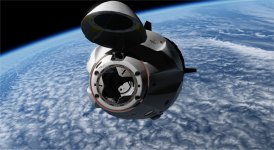
Orbit OPS before rendezvous with the HST.
 

Attachments

  • DRagon2_SAL orbit OPS.jpg
    DRagon2_SAL orbit OPS.jpg
    117.2 KB · Views: 74
https://pastebin.com/0Luv61gq


Sorry, where am I supposed to paste/copy those settings (which .cfg file)?


for the ambient occlusion to look properly the global preprocessor definitions in the ReShade.ini need to look like this:

https://pastebin.com/ugkgsGQ3

and the mxao.fx inside reshade-shaders/shaders must be edited to set MXAO_SMOOTHNORMALS and MXAO_TWO_LAYER to 1, and if you can spare some gpu juice you can set MXAO_ENABLE_IL to 1 as well.


Where can I locate the Reshade.ini file? I can't find it..
 
Sorry, where am I supposed to paste/copy those settings (which .cfg file)?
Where can I locate the Reshade.ini file? I can't find it..


You can also tune a planet appearance from the Atmospheric Controls Panel. To get something like in the screen shot you would need to reduce "Height" slider and "Gamma" slider from a rayleigh settings.
 
You can also tune a planet appearance from the Atmospheric Controls Panel. To get something like in the screen shot you would need to reduce "Height" slider and "Gamma" slider from a rayleigh settings.
Yes, but the entire atmosphere rendering needs a bit of an overhaul to get rid of the sharp edges that appears when the sun angle gets low as well as proper sunrise/set effects at ground level. This is nothing that ReShade can help with.

---------- Post added at 11:39 PM ---------- Previous post was at 11:37 PM ----------

Where can I locate the Reshade.ini file? I can't find it..
Reshade.ini can found in the Modules/Server subfolder.
 
I don't have such a file (not in Modules/Server or anywhere else in the Orbiter's folders) :shrug:
Note, that this Reshade.ini file is neither part of Orbiter nor part of D3D9Client, it belongs to Reshader (hence it's name ;) ).
Reshader has to be installed separately. It might be nice for you if you really want to change some DirectX renderings, but you do it on your own risk, as neither Martin nor any of the D3D9Client team is able to help you any further than: "uninstall reshader".
 
Note, that this Reshade.ini file is neither part of Orbiter nor part of D3D9Client, it belongs to Reshader (hence it's name ;) ).
Reshader has to be installed separately. It might be nice for you if you really want to change some DirectX renderings, but you do it on your own risk, as neither Martin nor any of the D3D9Client team is able to help you any further than: "uninstall reshader".


Thanks kuddel, I am aware this is a third party addon which has nothing to do with D3D9 GC. I downloaded and installed Reshade (and added some custom settings to the effects) and it works. Still in the Modules/Server folder (or anywhere else) there is no trace of the ReShade.ini file...

---------- Post added at 09:45 PM ---------- Previous post was at 09:43 PM ----------

STS-114 RPM over thw swiss alps as seen from the ISS


Thanks kuddel, I am aware this is a third party addon which has nothing to do with D3D9 GC.
O.K. Sorry, I wasn't aware that you were aware :thumbup:


I downloaded and installed Reshade (and added some custom settings to the effects) and it works. Still in the Modules/Server folder (or anywhere else) there is no trace of the ReShade.ini file...
I am not an expert on ReShade, but usually that file is where the executable is. So it should be either in "Modules/" or "Modules/Plugin/" as it doesn't seem to be in "Modules/Server/".

A search for "reshade" from your Orbiter root folder doesn't show up anything?
 
[/URL]


Sorry, where am I supposed to paste/copy those settings (which .cfg file)?


Where can I locate the Reshade.ini file? I can't find it..

you have to download and install reshade 4 in the modules/server executable of orbiter, all config files will be inside modules/server. The config you can create it by copying that pastebyn into a text file and renaming it to whatever.ini, then place that in modules/server, and then open that file from inside the game, in the reshade menu. The default key for the menu is "home" I believe
 
Last edited:
An project working on: Molab with LM truck
Rx3b29y.jpg

If3roCr.jpg

bVETQvV.jpg


for 2010. I might see about 2016 and use General Vessel.
 
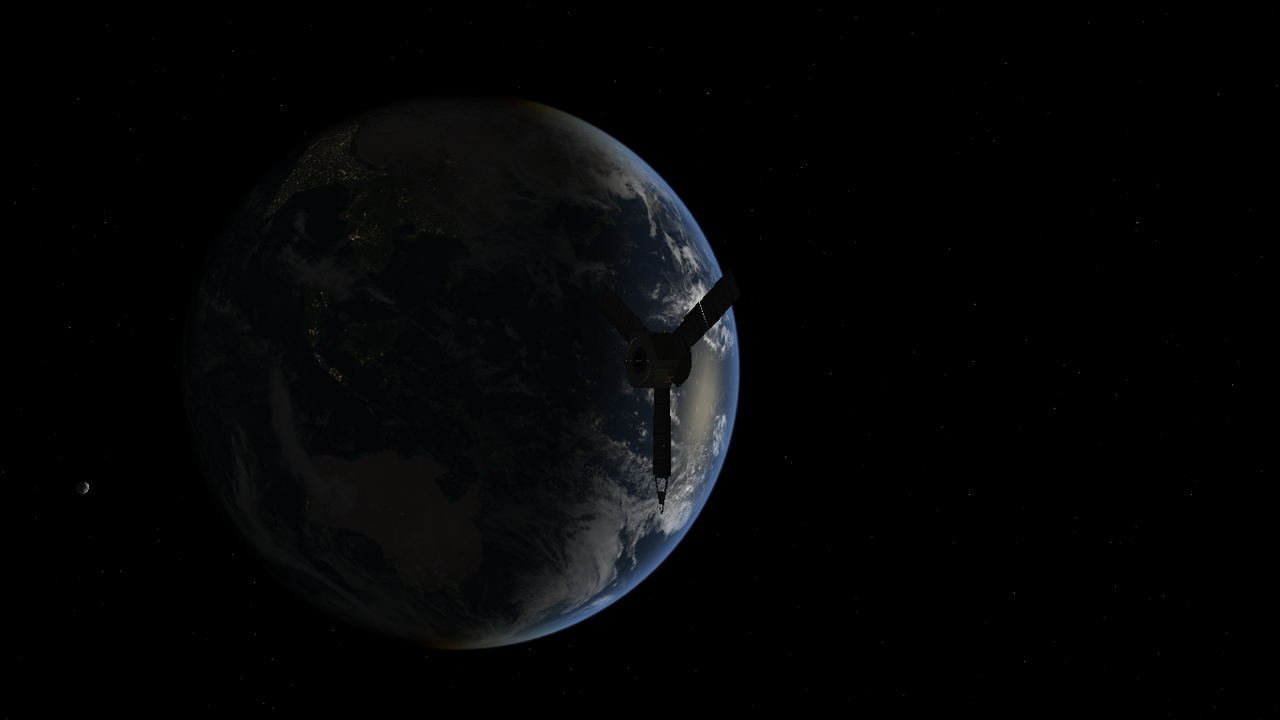
The only mission in my Grand Explorations folder that I haven't flown successfully yet is Juno. Trying to fly this particular flight profile has been giving me fits, though I did manage to get this beautiful shot of Juno leaving Earth:

tumblr_pnu2nj2IEf1rpuj2so1_1280.png
 
As it happened from the Cupola. kinda:)
 

Attachments

  • DM-1docking.jpg
    DM-1docking.jpg
    160.3 KB · Views: 109
Bye bye Crew Dragon.
 

Attachments

  • Fly around.jpg
    Fly around.jpg
    24.9 KB · Views: 74
Go for undocking !
 

Attachments

  • Go for undocking.jpg
    Go for undocking.jpg
    124.3 KB · Views: 85
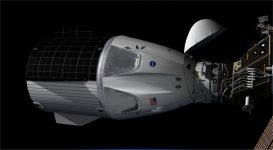
Updated the Nose cone and stuff.
 

Attachments

  • DM_1nose.jpg
    DM_1nose.jpg
    276 KB · Views: 107
Last edited:
Updated the Nose cone and stuff.


I know I have said the same when playing my old Playstation (One!) as a kid, where you can count the polygons and such stuff, but dude ... This looks exactly like the real thing! Its awesome!:salute:
If you would've said it's an actual photograph of DM1, I would've bought it.
 
Thanks for the kind words. What makes it, is the texture job, done by Felix24.


And a big shout out to the Dx9 team for the shadows and reflections.
 
Last edited:
Back
Top