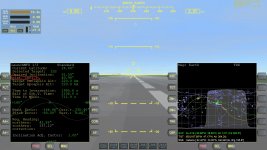
OHM Launch MFD - v. 1.6.6 for Orbiter 2016

Okay, just to be clear then : the newest version of the LaunchMFD does require the sdk specified?

The MFD you made comes highly recommended. As I have discovered with around a half-dozen attempts: It is very difficult to do an Earth-Mars transit without an efficient launch that puts the vessel into an aligned orbit. If one does an unassisted launch along a general prograde trajectory, it is still necessary to do a very long alignment burn, which then leaves you with not very much reserve fuel for the transit. I am hoping your MFD will result in a more fuel efficient launch profile, and increase the reserve fuel available for the transit.

---------- Post added at 03:11 PM ---------- Previous post was at 03:03 PM ----------

Also, I would recommend that the relevant portion of the description of LaunchMFD in Orbiter Hangar be changed to something like this for people who require more literal language :

"There are two versions of LaunchMFD. One is for the latest version of Orbiter (Orbiter 2010 P1), and another version for the previous iteration of Orbiter (Orbiter 2006).

LaunchMFD for Orbiter 2010 P1 requires HUDDrawer SDK (links to the MFD and the SDK).

LaunchMFD for Orbiter 2006 requires no other add-ons or software to function in Orbiter 2006 (with link to that version of LaunchMFD)"

Anyway, thanks again.
 
Okay, just to be clear then : the newest version of the LaunchMFD does require the sdk specified?...
If you want to read some of the interesting background about why this module is indeed required, here it goes (just some posts before this, from the same thread).

As promised by Enjo here (I'll focus on this problem next...):
http://www.orbiter-forum.com/showthread.php?p=406807&postcount=102

IIRC, HUDDrawerSDK was embedded into LaunchMFD 1.5.7, "temporarily" released here, as a simple attachment:
http://www.orbiter-forum.com/showthread.php?p=407059&postcount=117

Then, from LaunchMFD version 1.6.1, HUDDrawer SDK became a separate addon, thus required.
http://www.orbiter-forum.com/showthread.php?p=422263&postcount=152

BTW, the post says "Please note that now, for 2010 version, you have to install HUDDrawer SDK v.0.3 to make it run", Enjo couldn't be clearer than that.


And that read about Axial Velocity HUD is quite interesting too.
 
Last edited:
after installation I am getting the message that VesselHooking.dll be missing.
 
Hi Yoda.
The solution is very near, just read the post above yours more carefully.
You need to download (and activate) the "HUDDrawer SDK v.0.3" module.
Search for it on Orbit Hangar.
 
HI Enjo,I think I might have found a mistake with the text not lining up with the other texts
 

Attachments

  • 14.02.28 05-19-58 GL-01S.jpg
    14.02.28 05-19-58 GL-01S.jpg
    380.4 KB · Views: 38
Hi there. Yes, I realize it. A quick and dirty fix would take just a minute, but the clean solution that I've procrastinated so far would take maybe 15 minutes of monkey work. The reason why the problem is still there just proves how demotivated I am by ... some things, to spare you the details.
 
Last edited:
Has anybody had any problems with the direct acsent autopilot in this version? I must have tried this 20 times lately,and everytime I can't get the Rinc down enough,I never had any problems in the past versions.
 
I've tested it and it worked fine, as before, meaning up to, say, 5 versions before. What I've introduced then was decreasing the rate of Rinc change when the DeltaT is still far away, not to lead to situations when you're suddenly cruising with 0.00* before starting the intercept, because this confused the AP. On the other hand, if the DeltaT is small enough (~<250s), the rate of Rinc change should increase, as the AP knows that soon the time will come for interception. If at such situation you see that your Rinc is more than 8*, then what you can do about it is use some main engine power to accelerate the ship, giving the Rinc controller more room to operate and to decrease the Rinc, leveraging the higher Rinc decrease rate at such small DeltaTs. Once satisfied with Rinc, kill the main engines and let the energy bleed off a bit.

BTW, Rinc of < 6* just upon the start of interception is OK for a Cape to ISS launch. The AP will just use some more fuel to correct it, but the engine power budget (note the upper left indicator, when controlled by AP) should still be enough, so that the AP doesn't try to exceed 100% of the power gauge.

I hope it helps. If not, then please post a typical scenario just before you launch, when you think it should be a perfect launch opportunity and I'll see if you aren't making any mistakes.
 
Thanks Enjo,OK I will take your advice,and see if that helps.

---------- Post added at 01:53 PM ---------- Previous post was at 12:34 PM ----------

I've tested it and it worked fine, as before, meaning up to, say, 5 versions before. What I've introduced then was decreasing the rate of Rinc change when the DeltaT is still far away, not to lead to situations when you're suddenly cruising with 0.00* before starting the intercept, because this confused the AP. On the other hand, if the DeltaT is small enough (~<250s), the rate of Rinc change should increase, as the AP knows that soon the time will come for interception. If at such situation you see that your Rinc is more than 8*, then what you can do about it is use some main engine power to accelerate the ship, giving the Rinc controller more room to operate and to decrease the Rinc, leveraging the higher Rinc decrease rate at such small DeltaTs. Once satisfied with Rinc, kill the main engines and let the energy bleed off a bit.

BTW, Rinc of < 6* just upon the start of interception is OK for a Cape to ISS launch. The AP will just use some more fuel to correct it, but the engine power budget (note the upper left indicator, when controlled by AP) should still be enough, so that the AP doesn't try to exceed 100% of the power gauge.

I hope it helps. If not, then please post a typical scenario just before you launch, when you think it should be a perfect launch opportunity and I'll see if you aren't making any mistakes.
This is just about impossible to achieve just using the keyboard.

---------- Post added at 01:54 PM ---------- Previous post was at 01:53 PM ----------

BTW,I am just using your included sceanrio for direct acsent.
 
I perform the manoeuvre hands off, regulating only the trim until I stabilize the altitude for the maximum speed that you can achieve with SCRAM engines (~2km/s).

Try the AP-Test scenario. The Direct Ascent one is way outdated and shouldn't really be used.
 
The AP just keeps fighting me,and I just spin in circles,or dive into the ground,I have know Idea how to do this anymore,sorry for venting I am just frustrated.

---------- Post added 03-06-14 at 02:29 AM ---------- Previous post was 03-05-14 at 11:04 PM ----------

OK,I just tried out your suggestion,and I got my rinc down very close to 0,and then when the ISS approaching sign comes on it starts climbing,and so does my rinc,with the older AP it use to help bring down the rinc on the orbital insertion,but now that's not the case,also I am having a problem keeping the DGs altitude using the scram engines,I guess it comes down to when you get some time can you please make a new playback of how to do this,and a scenario thats starts when to launch correctly.Thanks

---------- Post added at 05:19 AM ---------- Previous post was at 02:29 AM ----------

OK Enjo,I just got the hang of it,you made it alot easier, it seems I was trying too hard,and sticking with the old playback procedure,when you can just use trim to manoeuvre,I haven't tried to set an altitude yet,would you just press the Alt button,and input +320 for instance? I assume by positive,and negative you mean +,and - before the altitude number correct?Thanks for the tips.:thumbup:
 
Last edited:
I got my rinc down very close to 0,and then when the ISS approaching sign comes on it starts climbing,and so does my rinc,with the older AP it use to help bring down the rinc on the orbital insertion

And that’s the source of your problem - Rinc can’t be too close to 0, because, as I said, it confuses the AP, so don’t force it. Anything less than 6*, but more than 1* should be fine and let the AP do the rest.
The previous AP was doing it the same way, plus it had an additional flaw, noticeable when you cruised for much longer time - you’d reach 0* too soon.

OK Enjo,I just got the hang of it,you made it alot easier
Thanks for admitting it.

it seems I was trying too hard,and sticking with the old playback procedure,when you can just use trim to manoeuvre
Maybe I have to review the playback after all… some day ;)

I haven't tried to set an altitude yet,would you just press the Alt button,and input +320 for instance? I assume by positive,and negative you mean +,and - before the altitude number correct?
No, the Alt button in DA mode is used to set the final distance [m] to the target upon interception. Positive (+Number) equals above target, and negative (-Number) below the target. The second option is more realistic.
The cruise AP doesn’t care what your altitude is and it’s the pilot’s duty to control the altitude by altering the trim, which gives the system more flexibility. It’s easy to do after a few tries - try to aim for 35 km when at full speed (2km/s). Prefer upward trim, and take note of the sound that your DG makes when you fly too low and too fast, resulting from too much friction that your craft generates.
 
HI Enjo,I found a bug with the sound,when you press the SND button,the sound is suppose to turn off,but it doesn't,also I was wondering if you could please add an option in a future version for the blue text of Approaching ISS,and guidance converging to blink on,and off,like with the older versions.Thanks
 
HI Enjo,I found a bug with the sound,when you press the SND button,the sound is suppose to turn off,but it doesn't
Notice that this button has 3 states, not 2.

also I was wondering if you could please add an option in a future version for the blue text of Approaching ISS,and guidance converging to blink on,and off,like with the older versions.Thanks
Are you implying that it the texts don't show up at all at your end? This would be weird to me, as I haven't changed that portion of code.
 
Hi Enjo,ok SND button has 3 states,that I didn't know! What are the 3 states? And the text shows just fine for the approaching ISS,I could swear that the earlier versions blinked on,and off,but I could be wrong.Thanks
 
Hi Enjo,ok SND button has 3 states,that I didn't know! What are the 3 states?
I don't remember now. I'd have to read the manual. But to be honest I'm not sure if it works correctly in this version.
You can always disable the sounds completely, by editing the file:
Code:
Config/MFD/LaunchMFD/LaunchMFD.cfg
 
Last edited:
Hey Enjo,or someone,can you please tell me how to use the direct ascent synchro mode with the XR2,I am really confused after reading the manual several times,and watching the old videos,I have no problem just using the default direct ascent,but the synchro version seems a lot trickier,thanks.
 
I am not sure if this has already been discussed, but anyway this is what I have found:

In the direct ascent program (in the latest version), the values of heading for northbound and southbound seem to have been reversed. Here is a screenshot:

picture.php


Any clarification is appreciated.
 
Indeed. I'll check it on this or the next weekend. Thanks for letting me know.
 
Back
Top