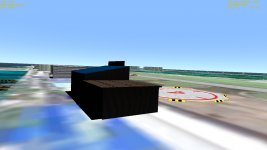
I'm making some custom models, and the textures are looking unnaturally dark. I created the models in Gmax and applied the textures using the material editor. Does anyone know how I can make them look more natural?
I'm making some custom models, and the textures are looking unnaturally dark. I created the models in Gmax and applied the textures using the material editor. Does anyone know how I can make them look more natural?
Just to expand a little on liber and Orb's posts, from this doc:
The four entries for each material are as follows:
• The first line specifies the diffuse material colour. This is the colour that is diffusely (in all directions) reflected from an illuminated surface.
• The second line specifies the ambient material colour. This is the colour of an unlit surface.
• The third line specifies the specular colour. This is the colour of light reflected by a polished surface into a narrow beam. The power entry specifies the width of the cone into which specular light is reflected. Higher values mean a narrower cone, i.e. sharper reflections. Typical values are around 10. If omitted, the default value for power is 0.
• The fourth line specifies the emissive colour. This is the colour of light emitted by a glowing surface.
You will have to fiddle about with the numbers to get the effects you want, remember to test them in day and night.
This site uses cookies to help personalise content, tailor your experience and to keep you logged in if you register.
By continuing to use this site, you are consenting to our use of cookies.