Luke Reichelt
Well-known member
Unfortunately no, as I deleted most of the source bitmap files in order to conserve memory storage.No planetery textures?

ORBITER-FORUM will be temporarily closed at 2026-07-23 18:00 UTC while we complete some OF maintenance tasks. The amount of downtime is expected to take up to one hour, but probably less.
Unfortunately no, as I deleted most of the source bitmap files in order to conserve memory storage.No planetery textures?
Correction - I do have the source bitmap files for some of the planets and moons in the original eight systems (including Andor, Bajor, Cardassia VI, Jeraddo, Qo'noS, Romulus, Talos IV, and Weytahn) but as I stated previously, I'm still not finished with my revisions. In any case, I'm personally thinking of updating to Orbiter 2016 once I get my STPSP stuff completed.No planetery textures?

Great! As your probably aware I've been making some attempts in this direction, Elev tiles are proving difficult (I think I got Surf tiles figured out), and finding the time...I'm personally thinking of updating to Orbiter 2016
Do search the forum, there have been several posts on the subject (also recently) though rather scattered, and the Orbiter docs have a lot of technical info (more walkthroughs would be nice).On another note, does anyone here know how to create surface tiles?
For the time being, I'm using the tiles included in this add-on, which are decent if a bit lacking in detail.Do search the forum, there have been several posts on the subject (also recently) though rather scattered, and the Orbiter docs have a lot of technical info (more walkthroughs would be nice).
A brief description of the process (AFAIK):
Get an image in cylindrical format (see Orbiter dev docs on size, format etc..) as big as you can, or make, @misha.physics has had some impressive results using AI.
Make one image for each level (number of levels depends on how big you can make the image, level min=4, 1024x512, max=21, x2/level).
Run each image through Pltex64 (this is incorrectly named Plsplit in the Orbiter24 Devdoc but the rest is valid) to create the tiles.
Use Texpack to compress the tiles into a Surf file.
Ther is also a chapter in the Orbiter24 Devdoc on converting old tiles, but this looks a bit complicated, I would suggest starting from scratch.
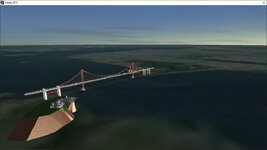
Speaking of which, I've been trying for the past two weeks or so to upload the updated versions of the first four of the original eight STPSP systems, but site issues are preventing me from uploading anything larger than 100 MB in size at the moment, including the Bajor system, meaning I'm currently stuck at the first part of the operation (namely the Andor system).Great! As your probably aware I've been making some attempts in this direction, Elev tiles are proving difficult (I think I got Surf tiles figured out), and finding the time...
I'm not aware of any upload size restrictions but I guess they're capped somewhere. Is it a connection error- "timing out", or a specific "file to big" error. If the latter I imagine it's the tiles that are so large maybe you could release the mod and tiles seperately? Have noticed others use G**gledrive etc... for very large files. Can also reccommend PeaZip, has excellent compression.Speaking of which, I've been trying for the past two weeks or so to upload the updated versions of the first four of the original eight STPSP systems, but site issues are preventing me from uploading anything larger than 100 MB in size at the moment, including the Bajor system, meaning I'm currently stuck at the first part of the operation (namely the Andor system).
I actually think it's just a temporary issue. Either way, it would certainly be advisable for the site admins to do some maintenance sometime soon.I'm not aware of any upload size restrictions but I guess they're capped somewhere. Is it a connection error- "timing out", or a specific "file to big" error. If the latter I imagine it's the tiles that are so large maybe you could release the mod and tiles seperately? Have noticed others use G**gledrive etc... for very large files. Can also reccommend PeaZip, has excellent compression.
Just to let you know, I've now upgraded to Orbiter 2016. I was originally planning to wait until after I had uploaded my updated STPSP systems, but site issues forced me to put those plans on hold, and I got tired of waiting for the site maintenance I had requested regarding larger files. (Apparently, it has something to do with some outdated line of code).Great! As your probably aware I've been making some attempts in this direction, Elev tiles are proving difficult (I think I got Surf tiles figured out), and finding the time...
I noticed I can't upload anything larger than 100MB. How large are your files?Just to let you know, I've now upgraded to Orbiter 2016. I was originally planning to wait until after I had uploaded my updated STPSP systems, but site issues forced me to put those plans on hold, and I got tired of waiting for the site maintenance I had requested regarding larger files. (Apparently, it has something to do with some outdated line of code).
My plan was to improve the Europa tiles, but doing them by hand would be a lot of work, also I think there must be a smarter way, I'm sure AI could use the data in the detailed bits to sharpen the blurry bits. That and Elev tiles are still beyond me, and I can't see me getting back to that this year!.On another note, if you can find time to do the elevation and surface tiles, I recommend starting with Andor and Weytahn. Personally, I'm thinking the tiles in question should be of a similar resolution as Mr Martian's Uranian and Neptunian moons, as anything higher than that would take up too much storage space.
That's exactly the issue I was having. Most of the STPSP systems are less than that, except for the Bajor system, which unfortunately is also the second in the series, and I wanted to stick to the original order when releasing the updated versions.I noticed I can't upload anything larger than 100MB. How large are your files?
How big is the Bajor system? With good compression (Peazip etc.) and split into 2-3 files would be ok?That's exactly the issue I was having. Most of the STPSP systems are less than that, except for the Bajor system, which unfortunately is also the second in the series, and I wanted to stick to the original order when releasing the updated versions.
Conversion looked a bit more complicated, don't really know how that works.On a related note, I know it's possible to create surface and elevation tiles without having access to the original bitmaps (as the user GB managed to do so with cmoon55's Alien add-on) but I don't know much about the whole procedure beyond that, although I think it might at least partially involve converting .tex files to the quadtree format, but again I have no idea how this is accomplished. I've also been told that using Astrogull's Elevation Tile Splitter might ease the process somewhat, but once again I have no way of knowing for certain. The point is, you may need to ask someone who's more knowledgeable about working with the quadtree system for help there.
I'll take a look, max tile level depends on resolution/quality.Anyway, the original bitmaps for Andor and Weytahn are linked below.
It's 113 MB in size. Personally, I think it would be best to simply wait until the requested site maintenance is done.How big is the Bajor system?
Both planets' textures are level 7.max tile level depends on resolution/quality.
Packed? Taking your Andor Zip as an example, I repacked using Peazip at max and I'm getting about 12% more compression. That might be just enough to get it under 100MB.It's 113 MB in size.
I've made surf tiles for Weytahn using PlSplit64, the res. was good for L7, upscaled once to make a set up to L8. With the right source image (like this) it's quite easy, just wish the Elev tiles were that easy too. But I still can't get Texpack to work, very frustrating! even tried it on another system.Both planets' textures are level 7.
Yes, when packed they add up to that amount.Packed?
So how do I do that? Do I need to place the folders in the Utils folder for it to work? I'm fairly new to this sort of thing, after all.So you'll need to run the tiles through Texpack to make a .Surf file.
If I could get it to work I'd tell you! I tried every variation I could think of. It just blinks on and then disappears, leaving me to think that it's a location problem but nothing helped.So how do I do that? Do I need to place the folders in the Utils folder for it to work? I'm fairly new to this sort of thing, after all.
Clearly, you'll have to ask someone who knows more on the subject for help there.If I could get it to work I'd tell you! I tried every variation I could think of. It just blinks on and then disappears, leaving me to think that it's a location problem but nothing helped.


