Update Arrow Freighter version 2012 updated (screenshots)

Status
Not open for further replies.
And now the ship warn you and reverse to 1x time acceleration when o2 reserve go lower than 5%, 3% and 1%

There is a sound, message and those two screen that stay 40 seconds.

2012Arrow27.jpg
 
Last edited:
The Arrow is looking awesome Dan, my favorite bird in Orbiter :thumbup:

Will it support spot/point lighting in this version? (like XR2 nose section)?

Forgive me if its a stupid question, I have very little coding/programming knowledge.

:hailprobe:
 
The Arrow is looking awesome Dan, my favorite bird in Orbiter :thumbup:

Will it support spot/point lighting in this version? (like XR2 nose section)?
:hailprobe:

I added one on the DGIV (updated also, coming soon) but I'm not very impressed with the result, it's only vertex lighting.

I think I'll finish yet the "roof screen", rework some things here and there and start the beta.

Hi-res tex, skin support, reworked model, roof screen, many small things here and there. This update will be already cool as it is now.

Dan
 
:headbang: update for the DGIV on the way?

Almost done, new wide panel, 4 mfd and various...

-----------------------------

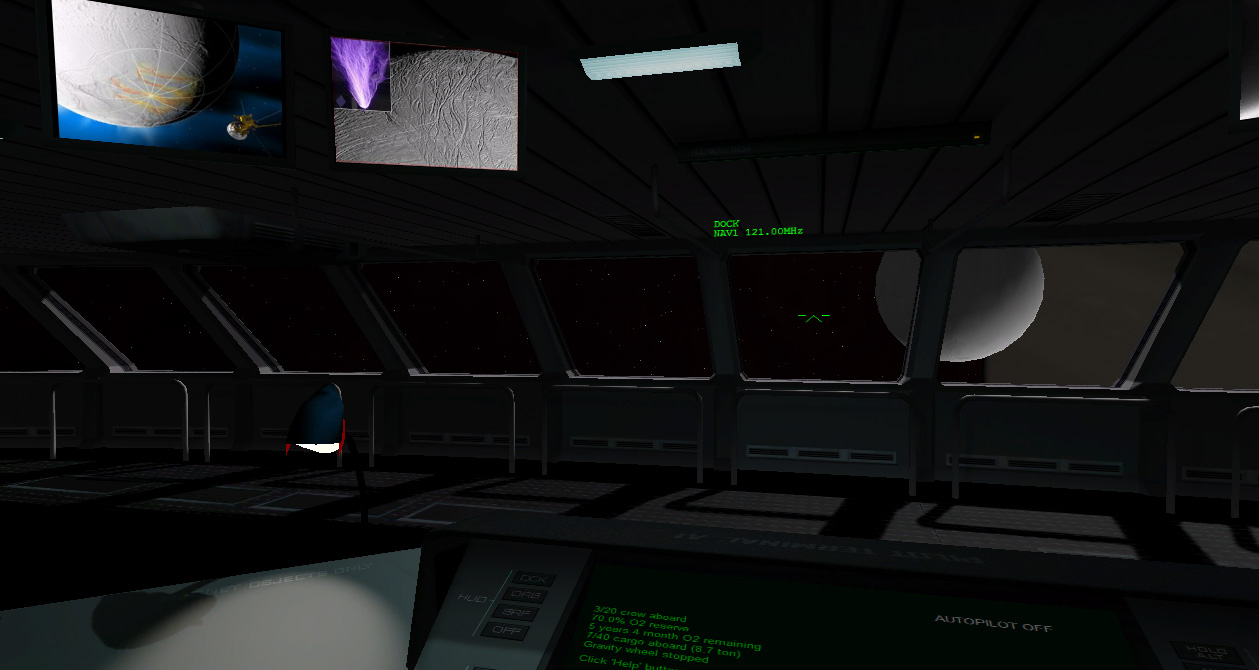
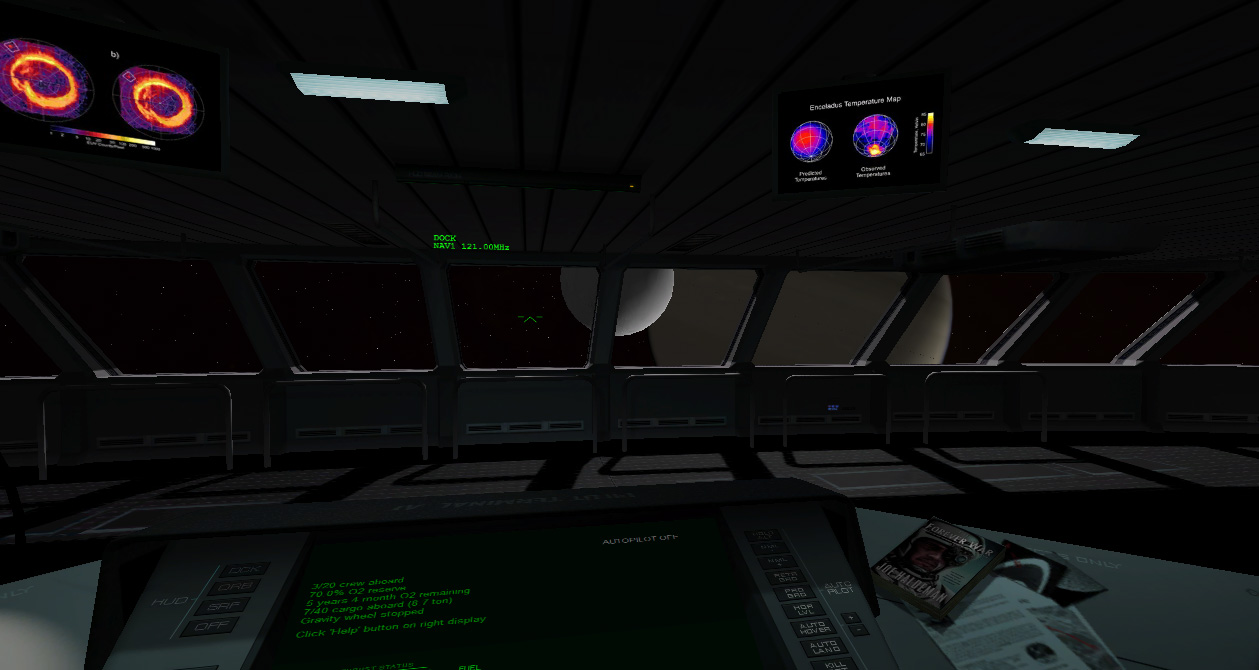
Okaaaay, the first cooperation for ambiance screen have given 183 images yet, I'm finishing the code and testing in same time. The first complete source done is Enceladus :

2012Arrow30.jpg


2012Arrow31.jpg


2012Arrow32.jpg


Warning 1920 wide pic:
2012Arrow33.jpg


I recall doing new source (containing 24 image) will be very easy to make as addon and you can add up to 100 per SOI for a total of 4700 images. As there is 58 planets and moon in Orbiter it mean you can have up to 278400 different image displaying while you are doing your solar system tour. :tiphat:

As addon each source image have a unique id (author's name, company, whatewer etc) so users will just have to unzip them in "RoofScreen" directory to have the images added in the collection without any problem.

Technically (I'm into the code yet), below 10000km it's the surface ref that is taken in account (otherwise the SOI of enceladus end at 30km) above it's the SOI. (you'll have then image of saturn)
The image above have been taken at about 2500 km. (maybe I should reduce to 5000 ?)

It rock immo !
 
Last edited:
:thumbup:
Ill be looking forward to this eing released.
:cheers:
 
Or you could use a dual monitor setup, and get Foxit Reader, and build your own reader skin that kinda fits in with the Arrow/Orbiter theme.

I think it's within acceptable behavior to do something like this.

Acceptable? No. Addicted? Yes.
 
You know - many of these add-ons rival and exceed commercial DLC in many ways. The attention to detail and functionality shines through nicely in these "epic-scale" creations.

I remember this one girl, back in the day, having some of those Silicon Graphics workstations for modeling and video effects. These were smoke'n machines alright. And I had my crappy-ass 80486 DX2-50 with 1meg video. And I got a hold of MS SpaceSimulator and played this for months on end. This was about the same time Doom hit the market. Well, I played the hell out of it, spacesim and doom both - always wishing they'd somehow have magical kick-ass rendering like on the SGI machines.

I even wrote tons of letters to Microsoft asking them to port SpaceSimulator to SGI, and even later, still, asked them to update it for the Rendition and Voodoo chipsets. Never heard back other than the obligatory canned response.

And, now, today, we have even better than that. Updates, add-ons, direct communication with the developers, you name it! All in a freely available package. From the smallest bace and most buggiest mfd to the epic-spanning code "kits" (think orbitersound, ucgo & arrow) and other deluxe craft 50MB in size, it's all much appreciated.

On another note, I was going through all the old garbage hardware we have laying around here, including some of them old SGI rigs, and came across all my ZIP disks. I believe one of these has the first version of Orbiter on it. I can't recall exactly what one, but the labels are clearly marked and dated. And they coincide with the first release date of Orbiter. I don't have any way of reading it. And I won't send it off to someone that can. The disks have other personal info on them, I think. So eventually I'll get a ZIP drive that works with USB and we'll go from there.
 
Last edited:
:tiphat: Just incredible ! Congratulations for this superb ship Dan ! I'm orbiter fan since the 2003 and the DG-III... and the evolution is really fantastic ! It really forced me to make my first post in forums... Many thanks to you Dan for your 'must have' addons and by the way to many of other addons developers !
:idea: maybe a (too late for this release ?) suggestion: possibility to have an external docking port somewhere on the Arrow Freighter allowing you to dock this beautiful ship to another big ship or station like Ceres ?
Would like to be 'next Tuesday' already ! :)
 
That is a good idea. Ive been hoping somebody can someday develop a MFD that reads PDF's or txt files from the orbiter/docs folder. I think at least having one for txt files would be great for the next orbiter version-Ie reading Martin's instructions for achieving LEO for the first time in the DG's cockpit.

---------- Post added at 02:23 PM ---------- Previous post was at 02:12 PM ----------

And if that romance doesn't get you fired up, there's the purely practical. Out of all the ships in orbiter, there are very few mother-ships, ships that you can dock your LEO vessel to, and then take off an explore somewhere else.

The arrow might be a stretch of the imagination but its a solid ship with a very well put together virtual cockpit (one of a very few), it can carry cargo and it plays nicely with just about anything you dock to it, even during engine burns.

Not to mention docking an XR2 to an Arrow is a rather fun exercise :)

I think, dansteph willing, it should be included in the next orbiter version to fill the role of a large orbiter ship
 
That is a good idea. Ive been hoping somebody can someday develop a MFD that reads PDF's or txt files from the orbiter/docs folder. I think at least having one for txt files would be great for the next orbiter version-Ie reading Martin's instructions for achieving LEO for the first time in the DG's cockpit.

I have thought this same thing over and over. If I ever have time to finish the Agamemnon, and go back and make the changes I want to the Cortez, I'd love to do this. But time constraints with work right now are killing me, so I don't want to discourage anyone else from this as well.

More to topic - Dan, I can't say enough about the quality of your addons. I'm anxious to see the release with these updates. Keep up the good work! :cheers:
 
Great work Dan, I'm amazed! :)

You mentioned 58 planets. But how does this code work with other "custom" celestial objects, say for a 3rd party solar system for example. Will it still be possible to take advantage of this screen system?
Or what happens if you're in a SOI of a unknown celestial object, or there are no images at all for that object (e.g. deleted)?
 
Great work Dan, I'm amazed! :)

You mentioned 58 planets. But how does this code work with other "custom" celestial objects, say for a 3rd party solar system for example. Will it still be possible to take advantage of this screen system?


yes, if for example your planet's name is "Golepotz" you can either:

Define both landed and orbiting status source: (higher priority)

ScrOrbit_Golepotz_ByRitchy.dds
and
ScrLanded_Golepotz_ByRitchy.dds

or either define just one that will be loaded landed & orbiting: (medium priority, choosen only if those above are not present)

Scr_Golepotz_ByRitchy.dds

And if you want to add more than one source just add more with another name :

Scr_Golepotz_ByRitchy1.dds
Scr_Golepotz_ByRitchyWhatewer.dds
Scr_Golepotz_ByRitchy3.dds

ScrLanded_Golepotz_ByRitchy1.dds
ScrLanded_Golepotz_ByRitchy2.dds
ScrLanded_Golepotz_ByRitchy3.dds

...


Great work Dan, I'm amazed! :)
Or what happens if you're in a SOI of a unknown celestial object, or there are no images at all for that object (e.g. deleted)?

In this case it reverse to default "landed & orbit" (Lower priority) ie:

ScrOrbit_Default.dds
ScrLanded_Default.dds

And you can also add here how much you want ie:
ScrOrbit_Richy1.dds
ScrOrbit_Richy2.dds

etc...

I don't know if it's clear how it work ?

The first part of name is keyword for type, the second the name of body (if any) and the third a unique id:
ScrLanded_Enceladus_ByRichy.dds

The name "source" is not well choosen, I don't know in english how you say a collection of photography but on one paper ?
 
Last edited:
Great work Dan, I'm amazed! :)

You mentioned 58 planets. But how does this code work with other "custom" celestial objects, say for a 3rd party solar system for example. Will it still be possible to take advantage of this screen system?
Or what happens if you're in a SOI of a unknown celestial object, or there are no images at all for that object (e.g. deleted)?

I think, that if you are in an unknown SOI, the ship will display generic technical diagrams. Perhaps we could have it display "sensor" type displays. Something like that. If you have an unknown solar system going, then the same thing would happen I guess. You could make your own set of images for use with your new solar system I believe.

Perhaps in a future release we could have something set-up like a telescope mfd that intermixes bogus text and diagrams on real images taken from the actual in-game "Screenshots" as the scenario is progressing. Realtime. Maybe from slightly different angles. Yes, a SuperTelescope MFD displayed on a widescreen. Hell, while were at it, why not build in a PS3 emulator and we can play in-flight games.:lol:

Or more seriously, what about a real video communications system? Make it in a real MFD. This would mean showing a small real-time video from a webcam right in an MFD window. You know, like all those "Mission to Mars" and "2001" movies where the crew is sending and receiving video messages to and from home and bases on planets.

I think that what we have now is more than enough to one-up the ambiance. And I would suggest to Dan to consider that for another update later on.

I would begin work on something like this, but I have little time and I am *NOT* a programmer by any stretch of the imagination. My expertise lies elsewhere like data recovery and consulting, conceptualization and testing, documenting things, training, making sure the non-technical person can use the most technical of applications with ease.

For example:
10 A=A+1
20 Print A
30 Goto 10
That's about the limit of my coding skills!
 
Last edited:
The name "source" is not well choosen, I don't know in english how you say a collection of photography but on one paper ?

Oh I don't know, "source image" is alright.. it fits within the context of what's happening here.
The source image is X by X dimensions and composed of 24 tiles, each tile is X by X size..

A contact sheet, contact print. This applies here!
[ame="http://en.wikipedia.org/wiki/Contact_sheet"]Contact print - Wikipedia, the free encyclopedia[/ame]

In digital terms - thumbnail or thumbnail composite image.
[ame="http://en.wikipedia.org/wiki/Thumbnail"]Thumbnail - Wikipedia, the free encyclopedia[/ame]

In real photography with prints and chemicals - you select one image from the CONTACT SHEET and get a real print. Or in the case of the Arrow screens - You select one image from the THUMBNAIL COMPOSITE IMAGE(source image) and display it on-screen.

Photomontage
[ame="http://en.wikipedia.org/wiki/Photomontage"]Photomontage - Wikipedia, the free encyclopedia[/ame]

Photomosaic
[ame="http://en.wikipedia.org/wiki/Photo_mosaic"]Photographic mosaic - Wikipedia, the free encyclopedia[/ame]
.
.
.

I hope that doesn't confuse anyone.
 
Last edited:
I think composite image or Mosaic/collage would be the best name for it.
 
Status
Not open for further replies.
Back
Top