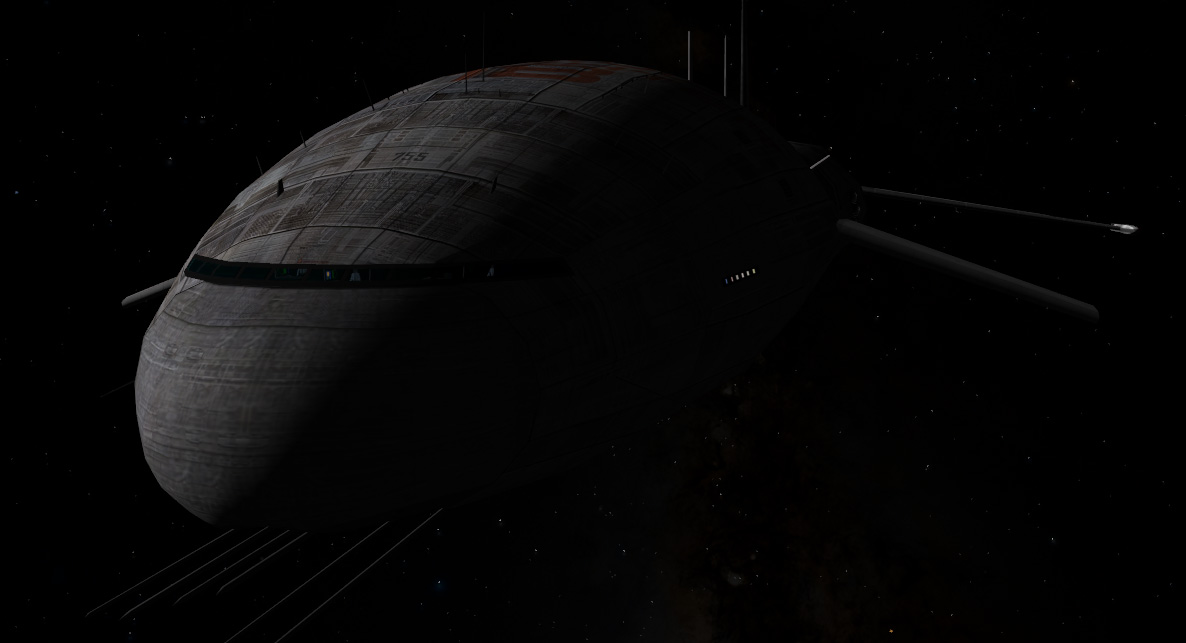
Update Arrow Freighter version 2012 updated (screenshots)

Status
Not open for further replies.
I've never seen a book autochanging it's cover :P

But I think it would be nice to have the book cover as a seperate texture to make it easier to change it.
 
But I think it would be nice to have the book cover as a seperate texture to make it easier to change it.

Mhhh (thinking out loud)

Whatever you'd have to put the image in a skin directory so there is not a big difference between changing just the book's image and changing it on the skin's texture.

Would it be too difficult to have the screen's pictures distort and warp when you crash, before straightening out as those pictures come up?

The effect (short time, rare case) doesn't worth the bigger work imho.

Changed the system display to give more informations:

2012Arrow25.jpg
 
Last edited:
But I think it would be nice to have the book cover as a seperate texture to make it easier to change it.
It's already incorporated into the skin SDK, as seen in this thread. :)

I don't see how making it a separate texture would make it any easier to change, unless you count the load time of starting up the image editor with the larger texture. :P
 
Most folks like to personalize their control area with a picture or a note or makeshift nameplate, even if it's a piece of tape. Perhaps you can make a provision for this in the config file or a special texture that shows up someplace on the control panel.

For now, it seems the book cover is that object!
 
I've never seen a book autochanging it's cover :P

But I think it would be nice to have the book cover as a seperate texture to make it easier to change it.

No, that's true. But here we're talking about ambiance and stuff, and you have a lot of spare time for reading in a nine month jump to Jupiter... so, it is another sign of time passing: all the books you have read during a very long voyage. I suppose the book cover will change only in long missions.
 
You could create your own book covers source mosaic, changing like the roof screens. Im talking about adding a fourth changing area: the book.

I´d like to have a clickable area there, it would open a new window with a readable file, a pdf or ebook or something, for these long night shifts. An excuse for not enabling time acceleration, of course...
 
If you want to read on the journey, I'd suggest someone get started coding an e-reader MFD...
 
I know, this last is just a feature wish for the list, but I think the changing book covers would be a nice touch.
 
Or you could use a dual monitor setup, and get Foxit Reader, and build your own reader skin that kinda fits in with the Arrow/Orbiter theme.

I think it's within acceptable behavior to do something like this.
 
I suppose I'd just scan my favorite books' covers, launched a new mission, see what book the sim had chosen and started to read it while Orbiter is running...
 
Dan, you're brilliant. Another masterpiece in the works!

---------- Post added at 01:34 AM ---------- Previous post was at 01:29 AM ----------

Oh, wait. My computer is trashed. Epic facepalm time.
 
New system (based on an idea by Richy) for the Roof Screen.

In brief you can add up without any problem 100 source image for the same SOI and that allow up to 4752 image per SOI (And 2376 for deepspace). As the filename is a mix of fixed and unique name (eg: "ScrLanded_Jupiter_ByAdamSmith.dds") all roof screen addons can be sure they will not overwrite or be overwritten by other.

Just trow in RoofScreen Directory and your collection just grown up.

Here the actual read me (to be corrected)

Code:
HOW TO ADD MORE ROOF SCREEN
---------------------------

-You can design up to 100 source image for a total of 4752 image per SOI and 2376 for deepspace.
-Those images will not repeat until all have been shown and the choice is randomly shuffled at each sim start.
-The combination of fixed name and unique name of files make that Roof Screen authors are sure their file will not be overwritten.

(Watch in RoofScreen directory about the files)


Lexic:
------
SOI= Sphere of influence, in the gravity field of one planet or moon.
[id]= a unique name and a number so the files doesn't overwrite. (eg: PeteFalcon234")


The different type of filename: 
-------------------------------

ScrLanded_BodyName_[id]: 	Display when the ship is landed or flying below 5000 meter on "BodyName" eg: "ScrLanded_Moon_PeterSmithAddon.dds"
ScrOrbit_BodyName_[id]: 	Display when the ship is above 5000 meter in the "BodyName" SOI eg: "ScrOrbit_Moon_PeterSmithAddon.dds"
ScrLanded_[id]:			Display when no "ScrLanded_BodyName" was found for the SOI. eg: "ScrLanded_PeterSmithAddon.dds"
ScrOrbit_[id]:			Display when no "ScrOrbit_BodyName" was found for the SOI. eg: "ScrOrbit_PeterSmithAddon.dds"
ScrDeepSpace_[id]:		Display out of any SOI, eg: eg: "ScrDeepSpace_PeterSmithAddon.dds"


Understand the load order:
--------------------------

The load order go from more precise (status and body name) to less precise.

1-The Arrow try to load first "ScrLanded_BodyName" and "ScrOrbit_BodyName"
2-If not found for this body it reverse to "ScrLanded" and "ScrOrbit"

Outside of any SOI the "DeepSpace" version is loaded.


How to make a RoofScreen Addon:
-------------------------------
-Size of each of the 24 image must be exactly 254x168 with the best quality possible.
-The source that contain 24 of them must be saved in dds DXT1 no mipmap and the less blur possible.
-You can find a photoshop template that contain frame for position of the 24 in the directory "Doc/UniversalCarsAndCargos/RoofScreenTemplate".
-You must add a unique identifier (your name, company name+number) to the filename so your addon will not overwrite other or be overwritten.
-Don't forget instruction for users ! (ie: "unzip in Textures2\UCGOArrow\RoofScreen directory")
-It's a good idea to mix some technical screens to keep the feeling of real display (and not of a screen saver) you can grab some images from default source.

Example of bad name: "ScrLanded_Phobos_a.dds" "ScrLanded_1.dds" "ScrLanded_Mars_smith.dds"
Example of GoodName: "ScrLanded_Mars_PeterSmith345.dds" "ScrLanded_BrianJonhson222.dds"

Take care that the filename must not exceed 40 characters.


Testing
-------
To test your addon while in devellopment empty the "roofScreen" directory of all other file of the type you make so yours will display every time.


Problem file not loading ?
--------------------------
Check that the filename don't exceed 40 characters.
Check that the first part is exact ie: NOT "SrcOrbit_" but "ScrOrbit_" that the body name is exact (NOT "Jrupiter"), that you have a "_" before your unique name.


Have a nice RoofScreen modding time ! :)

Dan


------------------------------------------ THANKS THANKS THANKS ---------------------------------------

Thanks to all fellow orbiter users that have contributed default images:

I hope the read me is enough clear ?
 
Last edited:
Status
Not open for further replies.
Back
Top