Sikorsky R-4 Helicopter

OHM Sikorsky R-4 Helicopter 2

Thunder Chicken

Resident Lua Script Rabble-Rouser
Donator
Joined
Mar 22, 2008
Messages
5,847
Reaction score
5,509
Points
188
Location
Massachusetts
@Thunder Chicken and @misha.physics submitted a new addon:

Sikorsky R-4 Helicopter - Lua Script Sikorsky R-4 Helicopter

Sikorsky R-4
1.png

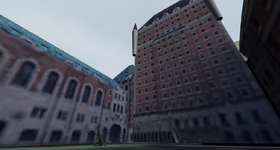
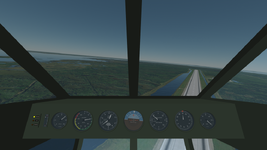
The Sikorsky R-4 was the first mass produced helicopter in the world and saw use by the U.S. Army toward the end of WWII.

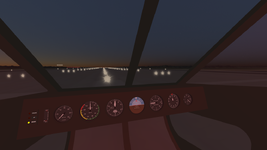
The R-4 mesh in this add-on was made by @misha.physics, and the flight model, animations, and lights were coded in Lua by @Thunder Chicken.

This Lua...

Read more about this addon...
 
Last edited:
Very impressed! Love helis, flies great and nice model too(y)

Q. There's a key asigned to decrease throttle but the engine setting doesn't hold the revs, the RPM goes down on it's own? Have I missed something?

Also nice to see Lua in action with an addon, it's "cleaner" than I thought, certainly opens possibilities for Orb2024.
It's probably not as easy as changing engine specs and swapping the mesh but can/may one use this as a "blueprint" for other helis? and electric Mars (whatever) atmosphere drones?
With a winch and attachment (UACS?) helis could be a lot of fun...

Looking forward to your further adventures in LUA:)
 
Q. There's a key asigned to decrease throttle but the engine setting doesn't hold the revs, the RPM goes down on it's own? Have I missed something?

I'm not sure what you are talking about. Pressing E will turn the engine on / off. The normal Orbiter main engine controls are used for inputs to the engine model, and there is a lag built in between the current engine RPM and the RPM commanded by the throttle.

Also nice to see Lua in action with an addon, it's "cleaner" than I thought, certainly opens possibilities for Orb2024.
I've made several Lua add-ons. It has essentially the same capabilities as the C++ API now, though syntax and a few methods differ for Lua-specific reasons.
It's probably not as easy as changing engine specs and swapping the mesh but can/may one use this as a "blueprint" for other helis? and electric Mars (whatever) atmosphere drones?
The engine and propeller specs were designed so they could be updated easily. Updating the animations and contact points would probably be the most difficult bit.

So long as you can calculate a power from your motor (whether it be electric or IC) the propeller model should be able to convert it to thrust so long as the planet has an atmosphere. My reciprocating and gas turbine engine models assume that the atmosphere is air for fuel combustion. They might produce a tiny amount of power on Mars because of that, and might work too well on Titan, but they'll behave appropriately with altitude on Earth.
 
I'm not sure what you are talking about. Pressing E will turn the engine on / off. The normal Orbiter main engine controls are used for inputs to the engine model, and there is a lag built in between the current engine RPM and the RPM commanded by the throttle.
After engine start the revs stabalize at ~7.5 RPM, if I press and hold Numpad + the RPM goes up to 20, and when I let go it falls back to 7.5. Numpad - seems obsolete? or is there a way to hold a specific RPM eg, throttle half open?
The engine and propeller specs were designed so they could be updated easily. Updating the animations and contact points would probably be the most difficult bit.

So long as you can calculate a power from your motor (whether it be electric or IC) the propeller model should be able to convert it to thrust so long as the planet has an atmosphere. My reciprocating and gas turbine engine models assume that the atmosphere is air for fuel combustion. They might produce a tiny amount of power on Mars because of that, and might work too well on Titan, but they'll behave appropriately with altitude on Earth.
Sounds promising, I'll have to look deeper...
 
After engine start the revs stabalize at ~7.5 RPM, if I press and hold Numpad + the RPM goes up to 20, and when I let go it falls back to 7.5. Numpad - seems obsolete? or is there a way to hold a specific RPM eg, throttle half open?

Sounds promising, I'll have to look deeper...
The Warner engine idled at 750 RPM and topped out at 2100 RPM. Half power would be about halfway between those.
 
After engine start the revs stabalize at ~7.5 RPM, if I press and hold Numpad + the RPM goes up to 20, and when I let go it falls back to 7.5. Numpad - seems obsolete? or is there a way to hold a specific RPM eg, throttle half open?

Did you try holding the right CTRL key when you operate the throttle?
 
Thanks, I'd just figured that out too (have to get my Orbiter boots back on).

CTRL+ Numpad +/- = incremental throttle increase/decrease ( I only followed the on screen info)
 
I realized my obsession for wanting to fine tune the throttle comes from my flightsim instinct to avoid overheating.
Engine temp simulation would be really cool!;)
 
I realized my obsession for wanting to fine tune the throttle comes from my flightsim instinct to avoid overheating.
Engine temp simulation would be really cool!;)
Unless you have data on the heat transfer characteristics of a Warner Super Scarab 50 reciprocating engine, attempting to estimate engine temperatures would be little more than a random number generator with extra steps.
 
Unless you have data on the heat transfer characteristics of a Warner Super Scarab 50 reciprocating engine, attempting to estimate engine temperatures would be little more than a random number generator with extra steps.
I don't think Orbiter even has air temperature... Ah well...
 
I don't think Orbiter even has air temperature... Ah well...
Nevertheless, temperature is an important paremater that adds a lot of realism for flights. I think we need a temperature model and add-ons with temperature indicators. Generally, we need more vessel with detailed systems and virtual cockpits for Orbiter 2024.

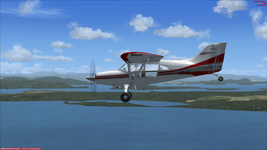
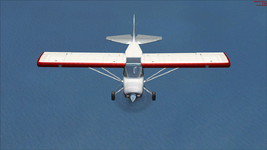
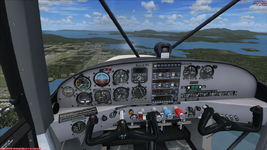
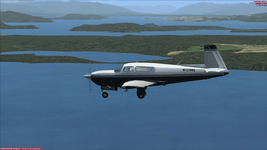
I'd like to start with modeling two aircrafts:
Maule Orion (M-7-235C Orion):

Без імені.pngБез імені2.pngБез імені3.png

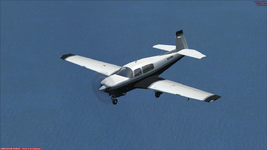
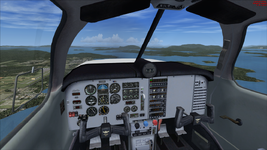
Mooney Bravo (M20M Bravo):

Без імені2.pngБез імені.pngБез імені3.png

Screenshots are from FSX.
 
Last edited:
Back
Top