

misha.physics
Well-known member
- Joined
- Dec 22, 2021
- Messages
- 1,534
- Reaction score
- 2,326
- Points
- 128
- Location
- Lviv
- Preferred Pronouns
- he/him
I thought to post it in the D3D9 Client thread, but decided to create a new thread about shadows.
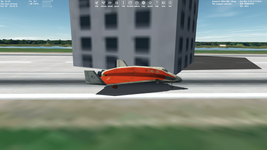
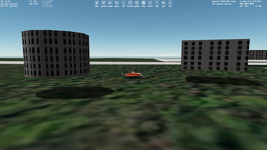
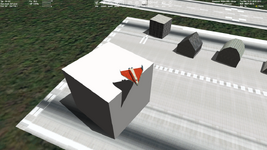
I'm not sure, maybe this was always, but I'm noticing the object shadows problems both in Orbiter 2016 and OpenOrbiter. The shadows aren't exactly on the ground. They can be either above or below the surface. It appears even if the surface elevation is disabled, but the problem is less noticeable. There's the difference between shadows from the pre-defined objects (like BLOCK) and shadows from objects with a custom mesh. I see that the shadows behavior depends on:
1) Default objects or custom meshes.
2) Surface elevation on/off.
3) "Vessel mapping" in advanced D3D9 settings on/off.
Screenshots from OpenOrbiter 240315 (surface elevation is linear, vessel mapping is for all visible objects).
Shadow is above the ground:
Shadow is below the ground:
I think this requires further researches for OpenOrbiter development.
I'm not sure, maybe this was always, but I'm noticing the object shadows problems both in Orbiter 2016 and OpenOrbiter. The shadows aren't exactly on the ground. They can be either above or below the surface. It appears even if the surface elevation is disabled, but the problem is less noticeable. There's the difference between shadows from the pre-defined objects (like BLOCK) and shadows from objects with a custom mesh. I see that the shadows behavior depends on:
1) Default objects or custom meshes.
2) Surface elevation on/off.
3) "Vessel mapping" in advanced D3D9 settings on/off.
Screenshots from OpenOrbiter 240315 (surface elevation is linear, vessel mapping is for all visible objects).
Shadow is above the ground:
Shadow is below the ground:
I think this requires further researches for OpenOrbiter development.

 It seems to happen when the terrain is not completely flat, though it appear to be in your screenshots. I'm not quite sure of the "Why" myself.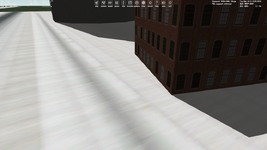
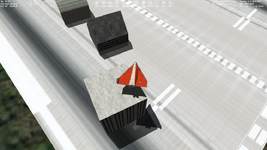

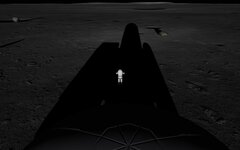
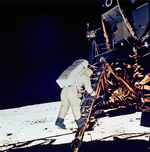
 reflected lighting from the ground, and different time of "day", notice how white the ground is (and does the camera have lighting?).


