Request Building Meshes for STPSP Bases

By the way, here are some improved versions of the tiles for Andor and Weytahn, created using the original LunarCell presets.
I'm not noticing any difference?
But I am seeing tearing/borders on the lower levels. How did you make level 1-3? They need to be 128x128, 256x256, 512x512.
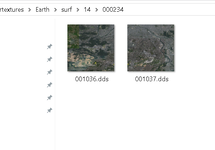
Okay, so I typed up the command lines as described, but when I press the enter key, I just get sent back to square one:
...Andor/surf
should be :
...Andor surf
 
I set them to the bitmaps in question to those exact sizes, so I have no idea why it's doing that.
Hmm? Maybe your image editer is making unclean edges by scaling? But I only see it on the lower levels? And I don't see it with the the tiles I made.
 
Hmm? Maybe your image editer is making unclean edges by scaling? But I only see it on the lower levels? And I don't see it with the the tiles I made.
Yeah, I'm not experiencing the issue you described myself. At least, I don't think I am.
 
I think it might be just one level that's "bad".
Focusing on the planet and increasing distance and then going closer again, the first level looks ok, then there are edges which quickly disappear as the higher levels load.
But I don't know which one? Guessing it's level 3 or 4?
 
Packed? Taking your Andor Zip as an example, I repacked using Peazip at max and I'm getting about 12% more compression. That might be just enough to get it under 100MB.

I've made surf tiles for Weytahn using PlSplit64, the res. was good for L7, upscaled once to make a set up to L8. With the right source image (like this) it's quite easy, just wish the Elev tiles were that easy too. But I still can't get Texpack to work, very frustrating! even tried it on another system.
So you'll need to run the tiles through Texpack to make a .Surf file.

Converting old tiles is a bit more complicated but is quite well detailed in the Orbiter docs- Orbiter2016/Docs/PlanetTextures.pdf Chapter 9, they basically just need resorting into the new file structure.
You can do clouds and lights with PlSplit64 as well (just not the Elev!). The files just need to be saved at the right size and then run through PlSplit64 as per instructions in the PlanetTextures.pdf. PlSplit64 just asks for the file name, long lat of the source file and output folder.
If you make a new folder, copy PlSplit64 and DxTex into it, add your source files and make another folder for the output, you have relative paths and only need to type the name in.

Attached Weytahn, not tested.
Note the Zip is 11.3 MB, unpacked it's nearly 90! (Peazip)

I've finally found a solution to the problems regarding the Bajor system. Specifically, I changed the textures for the ninth planet from level 8 to level 7, using Tune Your Planet.
 
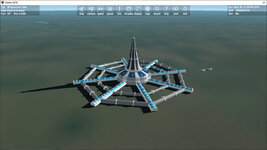
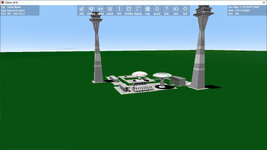
Here are some more surface bases from the Star Trek universe located within the Sol system:

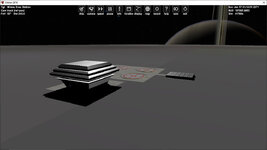
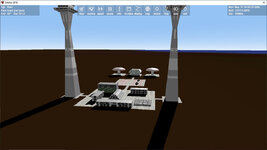
Firstly, here's the Mimas Evac Station, mentioned in the ST: TNG episode "The First Duty" and located within the crater Herschel:

MimasEvacStation.jpg

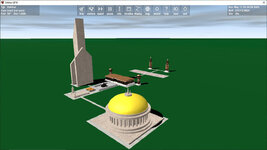
Next is the New Zealand Penal Settlement, shown in the ST: Voyager episode "Caretaker" and located just outside Auckland:

NZPenalSettlement.jpg

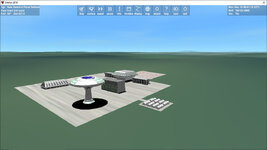
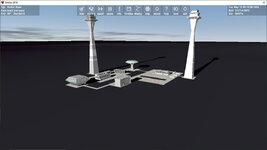
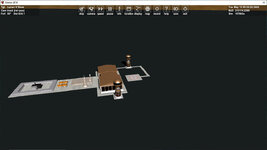
This is Mojave Spaceport, located near the eponymous California town, birthplace of Capt. Christopher Pike. The one space is intended as a walking area, featuring a display of old Federation shuttlecraft:

Mojave.jpg

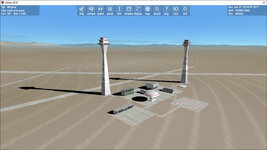
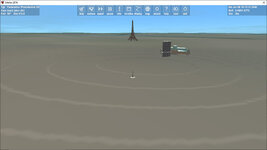
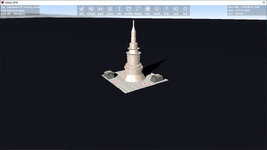
Lastly, while I still haven't quite figured out how to get the surface tiles to display properly (despite following the installation instructions to a T), here's the Federation Presidential Office in Paris, with the Eiffel Tower in the background. It is here that Ensigns Dupain-Cheng and Agreste have just transferred to from the USS Enterprise to serve as presidential security. (I wonder if anyone here is going to get that reference?)

FedPresidentialOffice.jpg
 
I assumed you are using d3d9. I just tried in default and got the same results as you
 
Back
Top