Question Simple animation on Lua (auto & managed)

misha.physics

Well-known member
Joined
Dec 22, 2021
Messages
1,480
Reaction score
2,211
Points
128
Location
Lviv
Preferred Pronouns
he/him
I'm going to try making a simple animation on Lua, and I've never done that before, so I'd like to learn it. I'd like to understand the basic principles with a simple example (template). Maybe it will be useful for other beginners too. I've seen some Lua script examples, but I'm afraid they confuse me with their complexity.

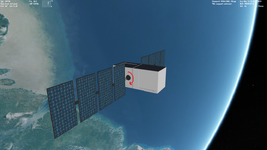
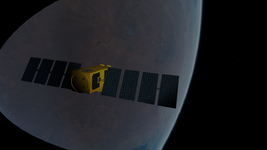
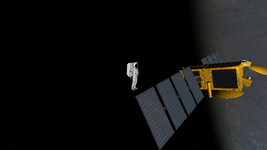
I modelled a simple OSTM/Jason satellite (it's not finished yet):

Без імені.png

So, firstly I'd like the solar panels to rotate uniformly and automatically all the time in the direction the red arrow indicates.

I'd like to put all my code into a single Lua script. For now I have a Lua script that contains the only one function:
Code:
function clbk_setclasscaps(cfg)
Looking at examples, I noticed I should use a code like that:
Code:
panels =
    {
    type =  'rotation',
    mesh =  0,
    grp = {1, 2, 3, 4},
    ref = {x=,y=,z=},
    axis = {x=,y=,z=},
    angle =
    }
    
anim_panels = vi:create_animation(0)

vi:add_animationcomponent()
Also, it looks I should use the following function for animation (setting some cycle for infinite rotation):
Code:
function clbk_poststep()
I'm not sure how to do that correctly (what is the structure and sequence), but I suppose it shuld be quite easy. I think I know what values for "grp", "ref", "axis" to use.

If I understand how to implement that, then, secondly, I'd like to manage the rotation with two hotkeys, for example, W/S (for both directions).
 
I'm going to try making a simple animation on Lua, and I've never done that before, so I'd like to learn it. I'd like to understand the basic principles with a simple example (template). Maybe it will be useful for other beginners too. I've seen some Lua script examples, but I'm afraid they confuse me with their complexity.

I modelled a simple OSTM/Jason satellite (it's not finished yet):

View attachment 42512

So, firstly I'd like the solar panels to rotate uniformly and automatically all the time in the direction the red arrow indicates.
This is easy enough. I assume you want them to turn once every orbital period?
Lua syntax is pretty well described in the Orbiter Lua Script Interface.chm file in the OrbiterSDK docs.
I'd like to put all my code into a single Lua script. For now I have a Lua script that contains the only one function:
Code:
function clbk_setclasscaps(cfg)
setclasscaps = Set Class Capabilities. This is the callback where you want to define things like the mass, moments of inertia, thrusters, airfoils (if needed), animation definitions, etc.. All the things that define the physics of the vessel should go in here.
Looking at examples, I noticed I should use a code like that:
Code:
panels =
    {
    type =  'rotation',
    mesh =  0,
    grp = {1, 2, 3, 4},
    ref = {x=,y=,z=},
    axis = {x=,y=,z=},
    angle =
    }
 
anim_panels = vi:create_animation(0)

vi:add_animationcomponent()
The panels table describes the transformation.
  • type defines whether it is translation, rotation (this example), or scaling.
  • mesh defines the mesh. If you have only a single mesh file loaded, that is index 0.
  • grp defines the meshgroups within the indicated mesh file to be animated. They are numbered in the order that they appear in the mesh file.
  • ref is a vector that should be a point somewhere on the rotational axis of the parts of the mesh that you want to rotate.
  • axis defines the direction of the axis of rotation. This would be in line with the main panel support.
  • angle should be the complete angle of rotation, in radians. Here that would be 360*RAD (RAD is a helper constant that converts numerical degrees to radians). You can also use 2*PI here. EDIT: Also note that you can specify the rotation direction here with a sign.
The line anim_panels = vi:create_animation(0) creates the animation and specifies the initial state of the animated parts as they are oriented in the mesh file. Here, using 0, you are saying the 0 state corresponds to the orientation of the panels as they were drawn in the mesh file.

EDIT: I forgot this, but here you must then create the animation component that you will be adding to the animation.

Code:
hTrans = vi:create_animationcomponent(panels)

vi:add_animationcomponent() is where you add the particular transformation to the defined animation. vessel:add_animationcomponent (anim, state0, state1, hTrans[, hParentAnim])
  • vessel is the vessel interface (vi) for this particular vessel.
  • anim in this case should be anim_panels, the animation you created.
  • state0 and state1 define the range of the animation. Since you should define the range of rotation to be a full circle, you should set these to 0 and 1.
  • hTrans is the transformation handle, the name of the table where you define the transformation (panels in your case).
  • [,hParentAnim] isn't needed for your animation and should just be left empty. In certain animations (like the rotor blades of our R-4), each blade rotates on their own axis for collective pitch, but all of the blades also rotate around the rotor axis. This requires a nested or parent-child animation where this is needed to add both rotational transformations together.
All of the above code can go into a function, and you can call that function in clbk_setclasscaps. This defines the animation.
Also, it looks I should use the following function for animation (setting some cycle for infinite rotation):
Code:
function clbk_poststep()
Either clbk_prestep or clbk_poststep should work for setting the animation state. One defines it at the start of the time step, the other at the end of the time step. Use one or the other, not both. There are certain instances where you need things to happen either before or after the timestep, but most animations aren't usually limited.

If you want them to rotate over a period of time T you will have to calculate the animation state as a function of time. The state can only be between 0 and 1. You'll see in the arguments of the prestep/poststep callbacks that the simulation time and step and mean Julian date are passed so you can use them to set animations within:

Code:
function clbk_prestep(simt,simdt,mjd)
...
end

So what you need to do is determine the animation level, and apply it to the animation you created in clbk_setclasscaps. To get one revolution in a period of time T in seconds (e.g. time of one orbit, depends on the orbit) you could determine the level like this:

Code:
panel_anim_level = simt/T

When you start the simulation, simt is 0, so panel_anim_level is 0. When simt = T, this will be 1. So far, so good. But you will run into a problem when simt goes beyond T, because your animation level will exceed 1 then. The animation won't crash, but it will simply stop at 1 and won't go further. What you need to do is get the remainder of your panel_anim_level in excess of 1. You can do this by using the modulo function:

Code:
panel_anim_level = (simt/T) % 1

So if simt/T exceeds a multiple of 1, the modulo function will return the remainder greater than 1. This will allow the animation to continuously rotate in one direction perpetually.

Then you just need to set the animation level at each time step:

vessel:set_animation (anim, state)

where anim is again the handle of the animation (anim_panels), and the state is the level you calculated in panel_anim_level.

Have fun!

Code:
 
Last edited:
Thanks a lot for the detailed explanations.
I assume you want them to turn once every orbital period?
Actually, I meant a custom period not orbital, but I can set it to be arbitrary.
Lua syntax is pretty well described in the Orbiter Lua Script Interface.chm file in the OrbiterSDK docs.
Thanks. For now I found some commands you mentioned in the document, so I'll try to refer to it in the future to read command descriptions. I've seen the document before, but I've been lost in all this manifold :)

Sadly, it seems there's not search through the document. For example, I still don't know where to find information about the "clbk_setclasscaps()" function in the document, although I'm not even sure I understand what the "callback" is. It's just a function that transfers data from a Lua script to the original Orbiter functions that are written on C++, isn't it? Is the "cfg" argument of the "clbk_setclasscaps(cfg)" function just a text file extension that's the main configuration file of a vessel?

Shoudn't I use the "oapi.create_animationcomponent" command for my animation? I just saw this in the ScriptPB code.

I tried the following code, but probably I did something wrong (in several places):
Code:
function clbk_setclasscaps(cfg)

  panels = {
    type = 'rotation',
    mesh = 0,
    grp = {5, 6, 7},
    ref = {x=0, y=0, z=0},
    axis = {x=1, y=0, z=0},
    angle = 2*PI
  }
 
  anim_panels = vi:create_animation(0)  --0 means the initial state of an animation to be as in a mesh file
  vi:add_animationcomponent(anim_panels, 0, 1, panels)

  T = 10

  function clbk_poststep(simt, simdt, mjd)
    anim_panels_level = (simt/T) % 1
    vi:set_animation(anim_panels, anim_panels_level)
  end
 
end
error.png

Also, shoud the mesh definition, namely "vi:add_mesh()" come before the "mesh = 0" command or doesn't it matter?
 
Thanks a lot for the detailed explanations.

Actually, I meant a custom period not orbital, but I can set it to be arbitrary.

Thanks. For now I found some commands you mentioned in the document, so I'll try to refer to it in the future to read command descriptions. I've seen the document before, but I've been lost in all this manifold :)

Sadly, it seems there's not search through the document. For example, I still don't know where to find information about the "clbk_setclasscaps()" function in the document, although I'm not even sure I understand what the "callback" is. It's just a function that transfers data from a Lua script to the original Orbiter functions that are written on C++, isn't it? Is the "cfg" argument of the "clbk_setclasscaps(cfg)" function just a text file extension that's the main configuration file of a vessel?

Shoudn't I use the "oapi.create_animationcomponent" command for my animation? I just saw this in the ScriptPB code.

I tried the following code, but probably I did something wrong (in several places):
Code:
function clbk_setclasscaps(cfg)

  panels = {
    type = 'rotation',
    mesh = 0,
    grp = {5, 6, 7},
    ref = {x=0, y=0, z=0},
    axis = {x=1, y=0, z=0},
    angle = 2*PI
  }
 
  anim_panels = vi:create_animation(0)  --0 means the initial state of an animation to be as in a mesh file
  vi:add_animationcomponent(anim_panels, 0, 1, panels)

  T = 10

  function clbk_poststep(simt, simdt, mjd)
    anim_panels_level = (simt/T) % 1
    vi:set_animation(anim_panels, anim_panels_level)
  end
 
end
View attachment 42537
My apologies, I inadvertently skipped a step. You need to create the animation component with the transformation table before you can add it to the animation. I edited my previous post.

Code:
  anim_panels = vi:create_animation(0)  --0 means the initial state of an animation to be as in a mesh file
  create_panels = vi:create_animationcomponent(panels)
  vi:add_animationcomponent(anim_panels, 0, 1, create_panels)

Also, shoud the mesh definition, namely "vi:add_mesh()" come before the "mesh = 0" command or doesn't it matter?
Yes, the mesh must be loaded before you attempt to create the animation, otherwise it doesn't know the mesh and meshgroups to animate. That is why you make the mesh in clbk_setclasscaps and control the animation level in clbk_pre/poststep.

There isn't a lot of information on the callbacks in the Lua documentation, but the callbacks are described in the C++ API reference and the Orbiter Developer Docs. There is a very good figure in the Orbiter Developer Doc where a flowchart shows how the callbacks are referenced by Orbiter during the simulation. The only thing that is really different is the syntax. Lua talks to Orbiter through an interpreter, so the Lua methods need to convey the same information.
 
Last edited:
I tried
Code:
create_anim_panels = vi:create_animationcomponent(panels)
but get the error:

e.png

I tried to replace it with
Code:
create_anim_panels = oapi.create_animationcomponent(panels)
and it gives no errors, but animation doesn't proceed. I suppose I don't set animation correctly in the "clbk_poststep()" function :
Code:
function clbk_setclasscaps(cfg)
 
  panels = {
    type = 'rotation',
    mesh = 0,
    grp = {5, 6, 7},
    ref = {x=0, y=0, z=0},
    axis = {x=1, y=0, z=0},
   angle = 2*PI
  }

  T = 10

  anim_panels = vi:create_animation(0)  --0 means the initial state of an animation to be as in a mesh file
  create_anim_panels = oapi.create_animationcomponent(panels)
  vi:add_animationcomponent(anim_panels, 0, 1, create_anim_panels)

  function clbk_poststep(simt, simdt, mjd)
    anim_panels_level = (simt/T) % 1
    vi:set_animation(anim_panels, anim_panels_level)
  end
 
end
I suppose I don't have to initialize "simt","simdt", "mjd" using something like "oapi.get_simstep()". Is it necessary to use "mjd" argument?
 
Fortunately, there's the HST.lua.cfg example with animations. Its Lua code isn't too big, so I'm almost sure I'll understand it. It even uses the "clbk_poststep(simt, simdt, mjd)" function. Thanks and sorry for my stupid questions :)
 
Sadly, it seems there's not search through the document.
I don't know how, but now I see the searching is working through the "orbiter_lua.chm", sorry.

I thought it will be easy to understand animation definition using the HST.lua.cfg example, but it turned out not to be so easy. Now I have the following HST code with worked antenna animation:
Code:
--[[
ClassName = HST.lua
Module = ScriptVessel
Script = HST.lua.cfg
END_PARSE
--]]

-- Vessel parameters
HST_SIZE = 7.52
HST_EMPTY_MASS = 10886
ANTENNA_OPERATING_SPEED = 0.2

DOOR_CLOSED=0
DOOR_OPEN=1
DOOR_CLOSING=2
DOOR_OPENING=3

ant_proc = 0.0
ant_status = DOOR_CLOSED


-- SetClassCaps implementation

function clbk_setclasscaps(cfg)

  trans_HiGainAnt1 = {                          -- transformation for left aileron animation
    type = 'rotation',                          -- transformation type
    mesh = 0,                                   -- mesh index
    grp = {1,3},                                -- group indices
    ref = {x=-0.002579,y=1.993670,z=0.238158},  -- reference point
    axis = {x=-1,y=0,z=0},                      -- rotation axis
    angle = 2*PI                                -- rotation angle
  }
 
  comp_HiGainAnt1 = oapi.create_animationcomponent(trans_HiGainAnt1)
  anim_ant = vi:create_animation(0)
  vi:add_animationcomponent(anim_ant, 0.0, 1, comp_HiGainAnt1)

  vi:set_size(HST_SIZE)
  vi:set_emptymass(HST_EMPTY_MASS)
 
  -- associate a mesh for the visual
  vi:add_mesh('HST_STS-109')
end

-------------------------------------------------------

function clbk_savestate(scn)
  oapi.writescenario_string(scn, "ANT",   ant_status   .. " " .. ant_proc)
end

-------------------------------------------------------

local function iterate_lines(scn)
    return function()
              return oapi.readscenario_nextline(scn)
           end
end

function clbk_loadstateex(scn, vs)
  for line in iterate_lines(scn) do
       local kw, status, proc = line:match("(%S+) (%d) (%S+)")
       if     kw == "ANT"   then ant_status,   ant_proc   = tonumber(status), tonumber(proc)
       else
           vi:parse_scenario_line_ex(line, vs)
       end
  end
 
  vi:set_animation(anim_ant, ant_proc)
end

-------------------------------------------------------

function clbk_poststep(simt, simdt)
    local da = simdt * ANTENNA_OPERATING_SPEED
 

    if ant_status >= DOOR_CLOSING then


        if ant_status == DOOR_CLOSING then


                          if ant_proc > 0.0 then
                          ant_proc = math.max(0.0, ant_proc - da)
                          else
                          ant_status = DOOR_CLOSED
                          end
  
            else

                          if ant_proc < 1.0 then
                          ant_proc = math.min(1.0, ant_proc + da)
                          else
                          ant_status = DOOR_OPEN
                          end
        
        end


        vi:set_animation(anim_ant, ant_proc)
 
 
  end


end

I have questions regarding the last function "function clbk_poststep(simt, simdt)".

1) I don't see how the "simt" variable is used. It's presented in the only one place in the script. If I leave just "function clbk_poststep(simdt)", then animation speed is changed.

2) I don't understand how the last function is working. The main condition is:
Code:
if ant_status >= DOOR_CLOSING
But I don't see how it can be true since:
Code:
ant_status = DOOR_CLOSED
DOOR_CLOSED=0
DOOR_OPEN=1
DOOR_CLOSING=2
DOOR_OPENING=3
Sorry, I'm practically not a programmer at all :)
 
Last edited:
clbk_poststep is a generic callback. The HST does not use it for its animations but it needs to be there because that's the function signature.
When you remove it, Lua basically sets the sim time (simt) value inside simdt, that's why you have a big change in animation speed.

"if ant_status >= DOOR_CLOSING" is equivalent to "ant_status == DOOR_CLOSING or ant_status == DOOR_OPENING" in this context. This is ported straight from C++ and it is not exactly good programming practice to do that kind of optimization without at least some comments...
More specifically it means that there is an animation under way (as opposed to the door being closed or open and not moving).
So it is really just doing this :
Code:
if there is an animation to do
    if it is a closing animation
        animate the door closed
        if the animation is complete
            disable the animation
    else  // it is an opening animation
        animate the door to open
        if animation complete
            disable the animation
 
Last edited:
Thanks. I just found that the "ant_status" is initialized to be 3 (DOOR_OPENING) in a scenario file, so now I understand why the animation proceeds after launching the scenario.
 
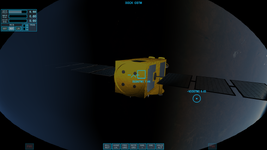
Finally I got the animation to work:

Без імені.png

The minimalistic code for infinite rotation:
Code:
T = 30

function clbk_setclasscaps(cfg)

  panels = {
    type = 'rotation',
    mesh = 0,
    grp = {5, 6, 7},
    ref = {x=0, y=0, z=0},
    axis = {x=1, y=0, z=0},
    angle = 2*PI
  }

  create_anim_panels = oapi.create_animationcomponent(panels)
  anim_panels = vi:create_animation(0)
  vi:add_animationcomponent(anim_panels, 0, 1, create_anim_panels)
end

function clbk_poststep(simt)

  anim_panels_level = (simt/T) % 1
  vi:set_animation(anim_panels, anim_panels_level)
end
I was going to assign keys for managing the animation:
If I understand how to implement that, then, secondly, I'd like to manage the rotation with two hotkeys, for example, W/S (for both directions).
But now it looks not so easy for me and requires some example (proceed animation only when a key is holding). Maybe I should put it off for now.
 
Is it necessary to use the clbk_prestep() or clbk_poststep() functions if we want to use keys for switching something, or maybe there're other ways to do that? For example, implementing light switching between ON and OFF. There're two status lines for spotlight and beacon:
Code:
 spotlight:activate(light_switch)
 beacon.active = light_switch
I simplified the following code from the R-4 script a little, but maybe deleted something important:
Code:
function clbk_consumebufferedkey(key, down, kstate)
 
  if not down then
  return false
  end

  if oapi.keydown(kstate, OAPI_KEY.LCONTROL) then
   
    if oapi.keydown(kstate, OAPI_KEY.L) then
     
      if light_switch == false then
      light_switch = true
      elseif light_switch == true then
      light_switch = false
      end

    end
   
  end

end
I need to connect these each other.
 
Is it necessary to use the clbk_prestep() or clbk_poststep() functions if we want to use keys for switching something, or maybe there're other ways to do that?
You can put the function calls for the items you want to execute on the keypress directly in the keypress callback.
For example, implementing light switching between ON and OFF. There're two status lines for spotlight and beacon:
Code:
 spotlight:activate(light_switch)
 beacon.active = light_switch
I simplified the following code from the R-4 script a little, but maybe deleted something important:
Code:
function clbk_consumebufferedkey(key, down, kstate)
 
  if not down then
  return false
  end

  if oapi.keydown(kstate, OAPI_KEY.LCONTROL) then
  
    if oapi.keydown(kstate, OAPI_KEY.L) then
    
      if light_switch == false then
      light_switch = true
      elseif light_switch == true then
      light_switch = false
      end

    end
  
  end

end
I need to connect these each other.

You can just do this all in the key press callback:

Code:
function clbk_consumebufferedkey(key, down, kstate)

    if not down then

        return false

    end


    if oapi.keydown(kstate, OAPI_KEY.LCONTROL) then
    
        if oapi.keydown(kstate, OAPI_KEY.L) then

              if light_switch == false then

                  light_switch = true

              elseif light_switch == true then

                  light_switch = false

              end

              spotlight:activate(light_switch)
              beacon.active = light_switch
        
        end
    
    end

end
 
Are there resons why there're different syntax for defining "spotlight" and "beacon"?:
Code:
spotlight = vi:add_spotlight(position, direction, spotlight_parameters)
spotlight:set_visibility(VIS.ALWAYS)
spotlight:activate(false)

Code:
beacon = oapi.create_beacon(beacon_parameters)
vi:add_beacon(beacon)
beacon.active = false
In particular I mean the difference between "spotlight:activate(false)" and "beacon.active = false".

Also, is there a way to set visibility (only external) for the beacon?
 
On the subject of syntax, leading to much confusion.
Concerning Setmaterialex, lua help says that mtprp should be a number, but MATPROP.DIFFUSE also works?
Also MATPROP.LIGHT works! Under colors it should be emmissive?
Setmaterial works, but only color, it ignores the alpha!

I have a mesh group with it's own material that I want to make invisible, material alpha seemed to be the solution but I can only set color.
I couldn't find a way to change a mesh group visibilty either?
At a loss and a little confused. Any advice?

And this mysterious extra power value? I take it that's specular power?
 
On the subject of syntax, leading to much confusion.
Concerning Setmaterialex, lua help says that mtprp should be a number, but MATPROP.DIFFUSE also works?
Also MATPROP.LIGHT works! Under colors it should be emmissive?
Setmaterial works, but only color, it ignores the alpha!

I have a mesh group with it's own material that I want to make invisible, material alpha seemed to be the solution but I can only set color.
I couldn't find a way to change a mesh group visibilty either?
At a loss and a little confused. Any advice?

And this mysterious extra power value? I take it that's specular power?
The Lua syntax is pretty well described in the orbiter_lua.chm doc in OrbiterSDK/doc. It is pretty close the the API_Reference.pdf in detail.
 
The Lua syntax is pretty well described in the orbiter_lua.chm doc in OrbiterSDK/doc. It is pretty close the the API_Reference.pdf in detail.
This is what I was reffering to as "lua help" (and theAPI), more than a little vague sometimes, and no mention of MATPROP.LIGHT, where did you get that?
 
Back
Top